Dataset / Capture Manual
日程 AI Web 采集说明书
给 Agent 的可复现入口、操作序列与截图索引。51 个状态,4 个采集目标(飞书、Google Calendar、Notion 工作区、Notion Calendar),全部基于 Web;不含桌面客户端和移动端。
读取顺序
先读 dataset/environment.json,确认浏览器、系统、视口、账号类型、网络参数与采集时间。
再读 dataset/live-manifest.csv。一行一个状态,id 是主键,file 指向截图。
需要复现入口时读 dataset/url-map.csv,记录操作前后 URL 与是否变化。
1. 采集环境
机器可读版本:dataset/environment.json
| 字段 | 值 |
|---|---|
| session_id | WEB-2026-11-23 |
| 采集时间 | 2026-11-23T11:06:00+08:00 → 2026-11-23T12:26:00+08:00(Asia/Shanghai) |
| URL 复核时间 | 2026-11-24T11:38:00+08:00 → 2026-11-24T12:05:00+08:00(Asia/Shanghai) |
| 操作系统 | macOS 27.2.1(build 26B131,arm64) |
| 浏览器 | Google Chrome for Testing 159.0.8154.6;Blink;CDP 1.3 |
| 自动化 | Playwright 1.65.1;Node 24.18.0 |
| 视口 / 缩放 | CSS 宽 1200;DPR 2;截图宽 2400px;Feishu 高 2158px,Google/Notion 高 1974px |
| 语言 / 时区 | zh-CN / Asia/Shanghai |
| 账号类型 | 飞书:个人测试账号;Google:个人 Gmail(已脱敏);Notion:个人工作区 |
| 平台范围 | 仅 Web;不含桌面客户端、iOS/Android 原生 App、企业后台 |
| 弱网参数 | 飞书 2500ms / 35KB/s;Google 与 Notion 4000ms / 50kbps 下行、20kbps 上行;离线为 CDP offline |
| 产品版本 | 见下方“产品版本标识”;Web SaaS 不暴露语义版本号。 |
产品版本标识
| 产品 | 可复现版本标识 | 说明 |
|---|---|---|
| 飞书 | app_id=lark_web_calendar; index=index.6e390e9a.js; vendor=vendor.e2c9916c.js | 静态资源 CDN:https://sf3-scmcdn-cn.feishucdn.com/obj/feishu-static/calendar/ |
| Google Calendar | version=not exposed | Web SaaS 不暴露版本号;用 URL + 采集时间 + 浏览器版本复现 |
| Notion | asset=ClientFramework-375b64a6d029a03c.js | Notion Web 资源指纹 |
| Notion Calendar | version=not exposed | Web SaaS 不暴露版本号;用 URL + 采集时间 + 浏览器版本复现;router=React Router 6 |
2. 入口与 URL 变化
登录入口
| 产品 | 首个入口 | 登录方式 | 登录后落地 | 是否新页面 |
|---|---|---|---|---|
| 飞书 | https://www.user.feishu.cn/ | 扫码登录 | https://www.user.feishu.cn/next/messenger/ | 否 |
| Google Calendar | https://calendar.google.com/calendar/u/0/r/week | Google 账号 OAuth | https://calendar.google.com/calendar/u/0/r/week | 否 |
| Notion 工作区 | https://app.notion.com/p/4214a2ef05bc801680cbfee43dc55023 | Notion 账号 | 同一工作区 URL | 否 |
| Notion Calendar | https://www.notion.so/login/calendar | Google OAuth(弹出授权) | https://calendar.notion.com/ | 是(授权页) |
实测跳转
只记录实测跳转。页内浮层/详情卡若未改变 URL,标“否(同页)”;没有单独记录 URL 的状态标“未记录”。完整机器可读表:dataset/url-map.csv。
| 产品 | 动作 | 操作前 URL | 操作后 URL | 变化 | 备注 |
|---|---|---|---|---|---|
| 飞书 | 登录页 → 消息 | https://www.user.feishu.cn/ | https://www.user.feishu.cn/next/messenger/ | yes | 登录后进入消息;页面已登录态 |
| 飞书 | 消息 → 日历 | https://www.user.feishu.cn/next/messenger/ | https://www.user.feishu.cn/calendar/week | yes | 日历打开独立 /calendar/week 标签页 |
| 飞书 | 日历 → 点击日程 | https://www.user.feishu.cn/calendar/week | https://www.user.feishu.cn/calendar/week?ikey=<ephemeral> | yes | 点击日程追加 ikey 查询参数;值每次不同 |
| 飞书 | 日历 → 创建浮层 | https://www.user.feishu.cn/calendar/week | https://www.user.feishu.cn/calendar/week | no | 点击时间格/创建浮层不改变 URL |
| 飞书 | 日历 → 任务 | https://www.user.feishu.cn/calendar/week | https://www.user.feishu.cn/next/task/my-tasks | yes | 任务打开独立应用路径 |
| 飞书 | 任务 → 任务详情 | https://www.user.feishu.cn/next/task/my-tasks | https://www.user.feishu.cn/next/task/my-tasks?task=<task_id> | yes | 详情追加 task 查询参数 |
| Google Calendar | 登录完成 → 周视图 | https://calendar.google.com/calendar/u/0/r/week | https://calendar.google.com/calendar/u/0/r/week | yes | Google OAuth 往返;最终 URL 仍是 /r/week |
| Google Calendar | 周视图 → 点击事件 | https://calendar.google.com/calendar/u/0/r/week | https://calendar.google.com/calendar/u/0/r/week | no | 详情卡是 SPA 浮层,URL 不变 |
| Google Calendar | 周视图 → 创建浮层 | https://calendar.google.com/calendar/u/0/r/week | https://calendar.google.com/calendar/u/0/r/week | no | 创建/快速编辑器不改变 URL |
| Notion | 工作区 → 会议 | https://app.notion.com/p/4214a2ef05bc801680cbfee43dc55023 | https://app.notion.com/p/4214a2ef05bc801680cbfee43dc55023 | no | 会议是工作区内的视图,URL 不变 |
| Notion Calendar | 登录 → Notion Calendar | https://www.notion.so/login/calendar | https://calendar.notion.com/ | yes | OAuth 链路:notion.so/login/calendar → accounts.google.com → notion.so/googlepopupcallback → calendar.notion.com |
| Notion Calendar | 周视图 → 点击事件 | https://calendar.notion.com/ | https://calendar.notion.com/2026/11/24 | yes | 点击事件进入日期路径;日期由事件决定 |
| Notion Calendar | 周视图 → 创建/自然语言 | https://calendar.notion.com/ | https://calendar.notion.com/ | no | 右侧草稿/自然语言面板不改变 URL |
| Notion Calendar | 离线 | https://calendar.notion.com/ | https://calendar.notion.com/ | no | 仅顶部 Offline 徽标,URL 不变 |
| 飞书 | 日历 → 完整编辑器 | https://www.user.feishu.cn/calendar/week | https://www.user.feishu.cn/calendar/eventedit | yes | 点击右下角 +;进入 /calendar/eventedit |
| 飞书 | 日历 → 日历助手 | https://www.user.feishu.cn/calendar/week | https://www.user.feishu.cn/next/messenger/ | yes | 提醒入口在消息页;日程与消息是不同标签 |
| Google Calendar | 周视图 → 完整编辑器 | https://calendar.google.com/calendar/u/0/r/week | https://calendar.google.com/calendar/u/0/r/eventedit?state=<ephemeral>&pli=1 | yes | 快速浮层点“更多选项”;state 为临时编码 |
| Notion Calendar | 周视图 → 新建事件 | https://calendar.notion.com/ | https://calendar.notion.com/event/create | yes | 按 C 或新建入口;右侧草稿面板 |
飞书点击日程追加 ikey,任务详情追加 task,完整编辑器进入 /calendar/eventedit;Notion Calendar 新建事件进入 /event/create,点击事件进入 /2026/11/24;Google 完整编辑器进入 /r/eventedit,事件详情不改变 URL。
3. 产品操作序列
每个产品先给状态表,再给完整截图。表格中的“观察值”是采集时看到的事实,不包含竞品结论。
飞书(Feishu)
23 states入口:https://www.user.feishu.cn/
| ID | 操作 / 触发 | 入口 URL → 状态 URL | 变化 | URL 证据 | 截图 | 观察值(截断) |
|---|---|---|---|---|---|---|
| FS-L01 | 打开 feishu.cn/messenger | https://www.user.feishu.cn/→ https://www.user.feishu.cn/ | 否 | 实测 | 00-login.png | 真实登录页,二维码入口 |
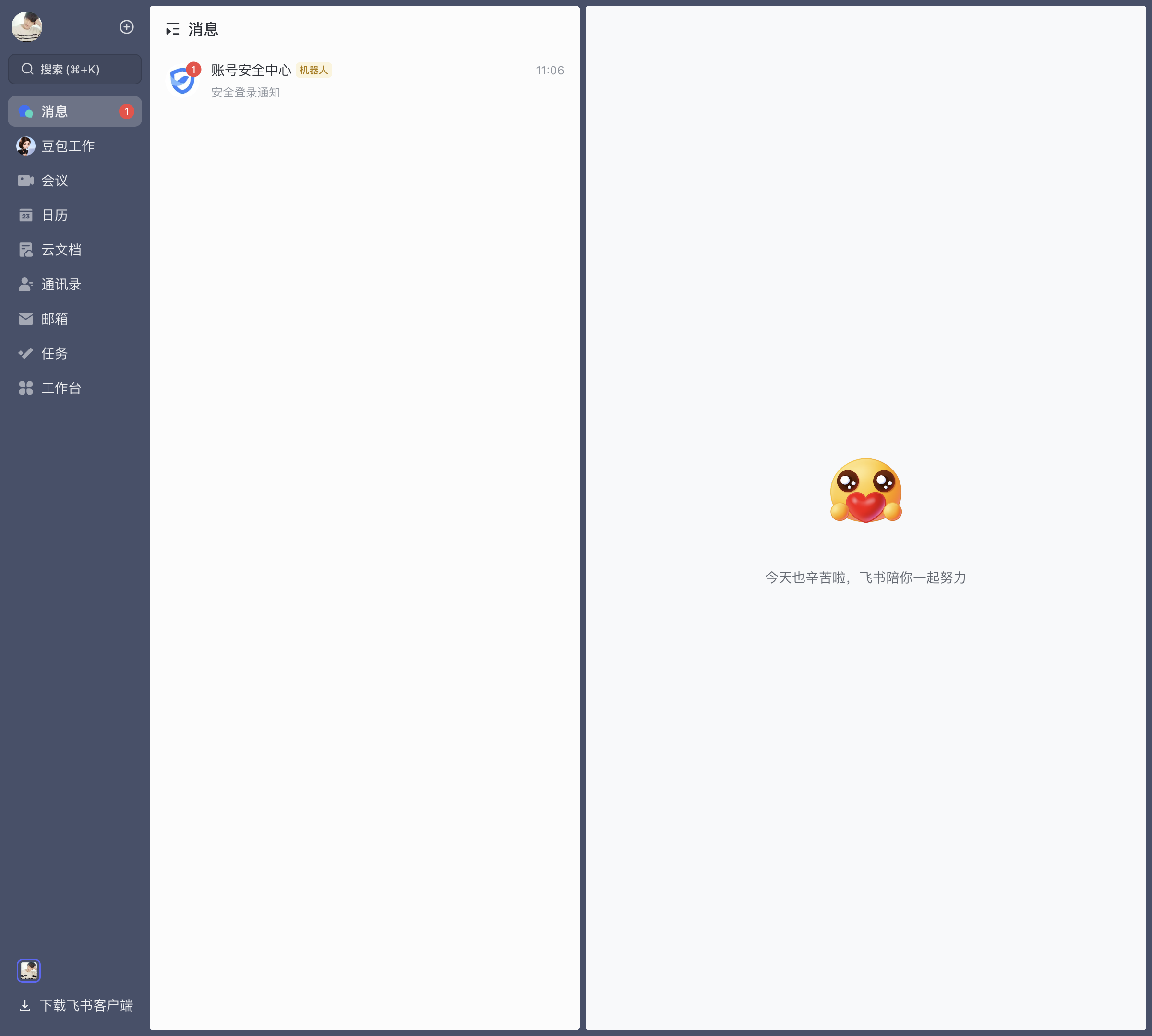
| FS-L02 | 登录后进入消息 | https://www.user.feishu.cn/next/messenger/→ https://www.user.feishu.cn/next/messenger/ | 否 | 实测 | 01-messenger.png | 仅有账号安全中心通知,无群聊 |
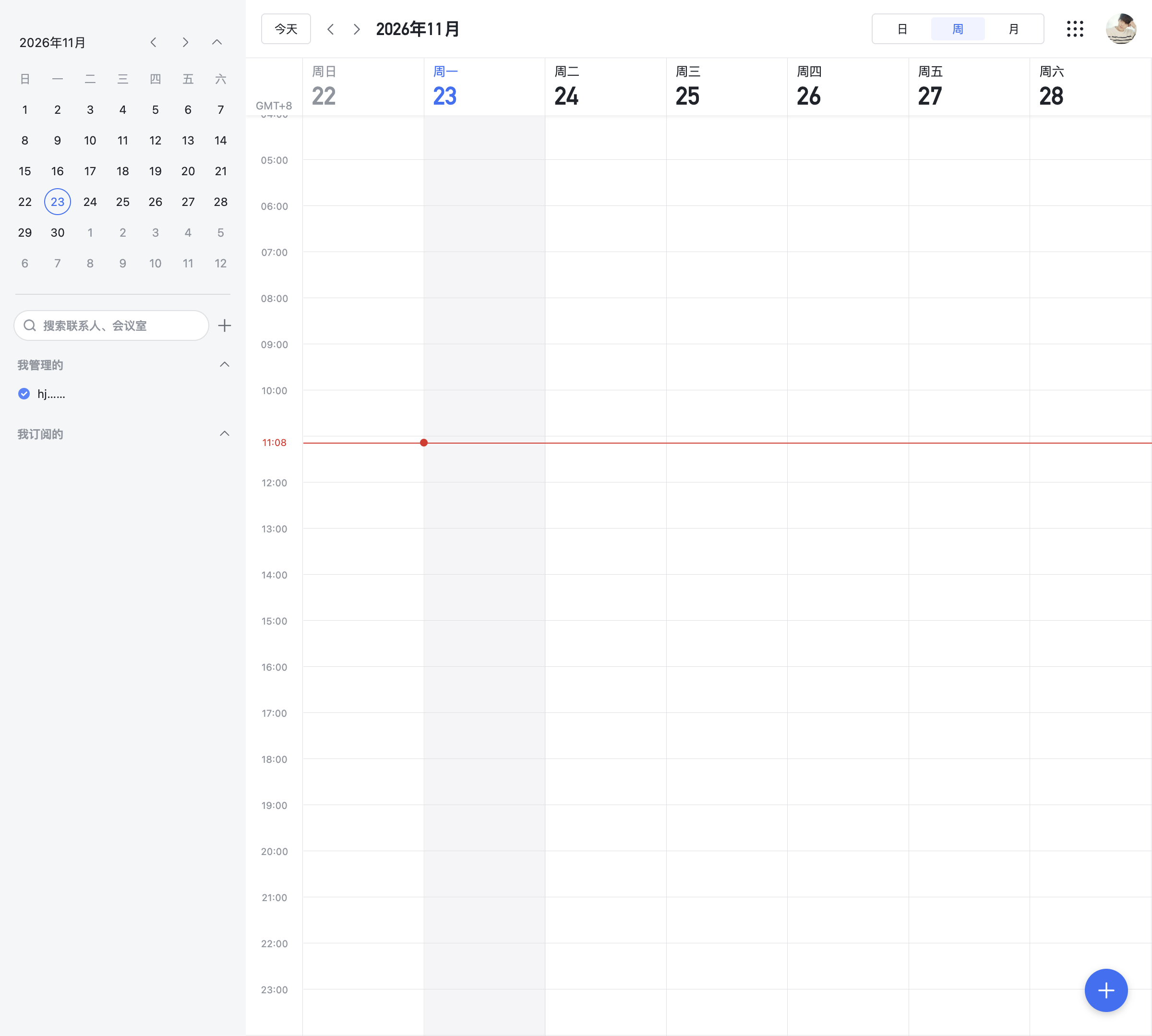
| FS-L03 | 左侧导航点击日历 | https://www.user.feishu.cn/next/messenger/→ https://www.user.feishu.cn/calendar/week | 是(新标签) | 实测 | 02-calendar.png | 空周视图;左侧“我管理的/我订阅的” |
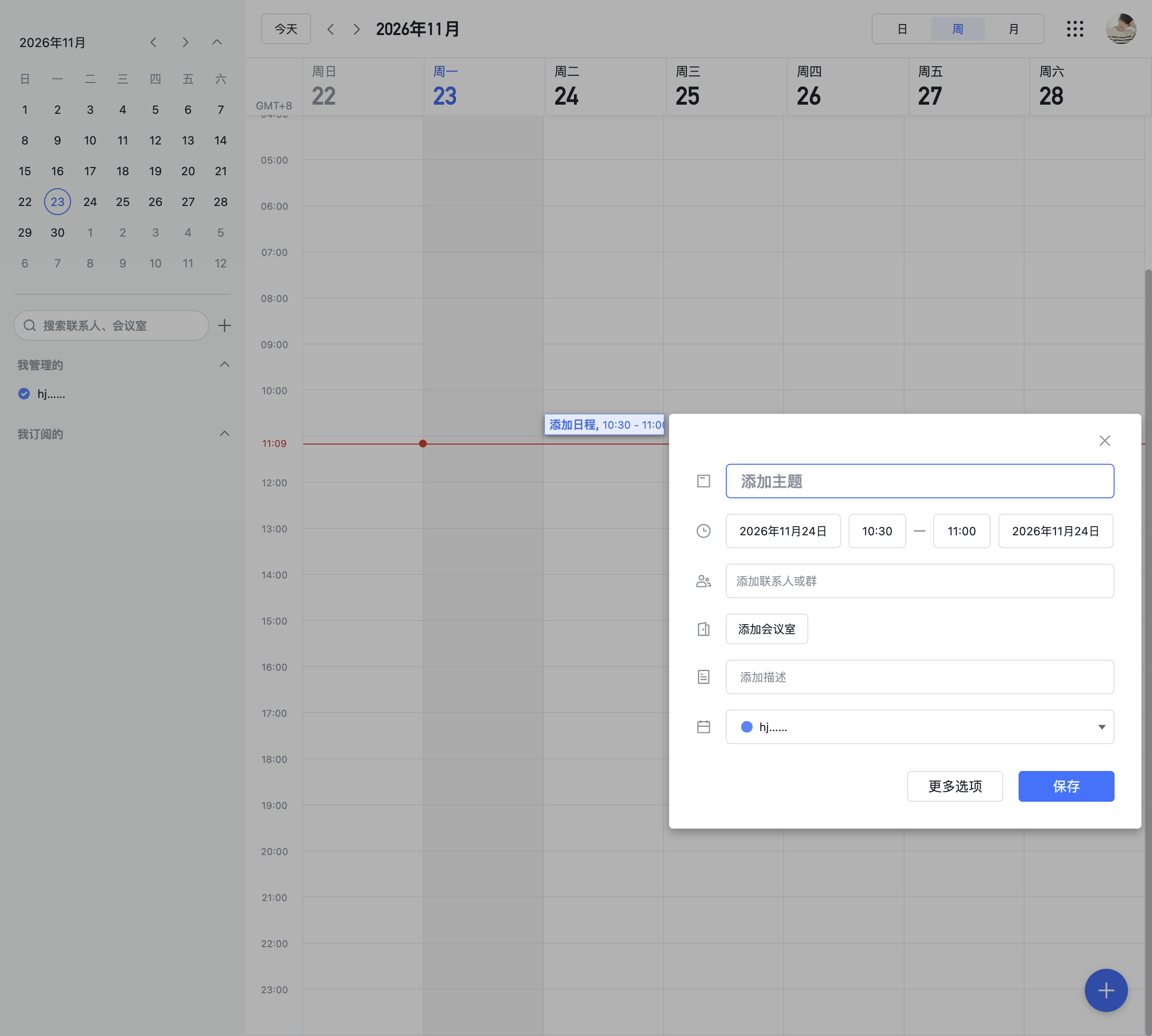
| FS-L04 | 在周二 10:30 空白处点击 | https://www.user.feishu.cn/calendar/week→ https://www.user.feishu.cn/calendar/week | 否 | 实测 | 04-click-slot.png | 出现“添加日程, 10:30-11:00”、主题、参与人、会议室、描述、日历、保存 |
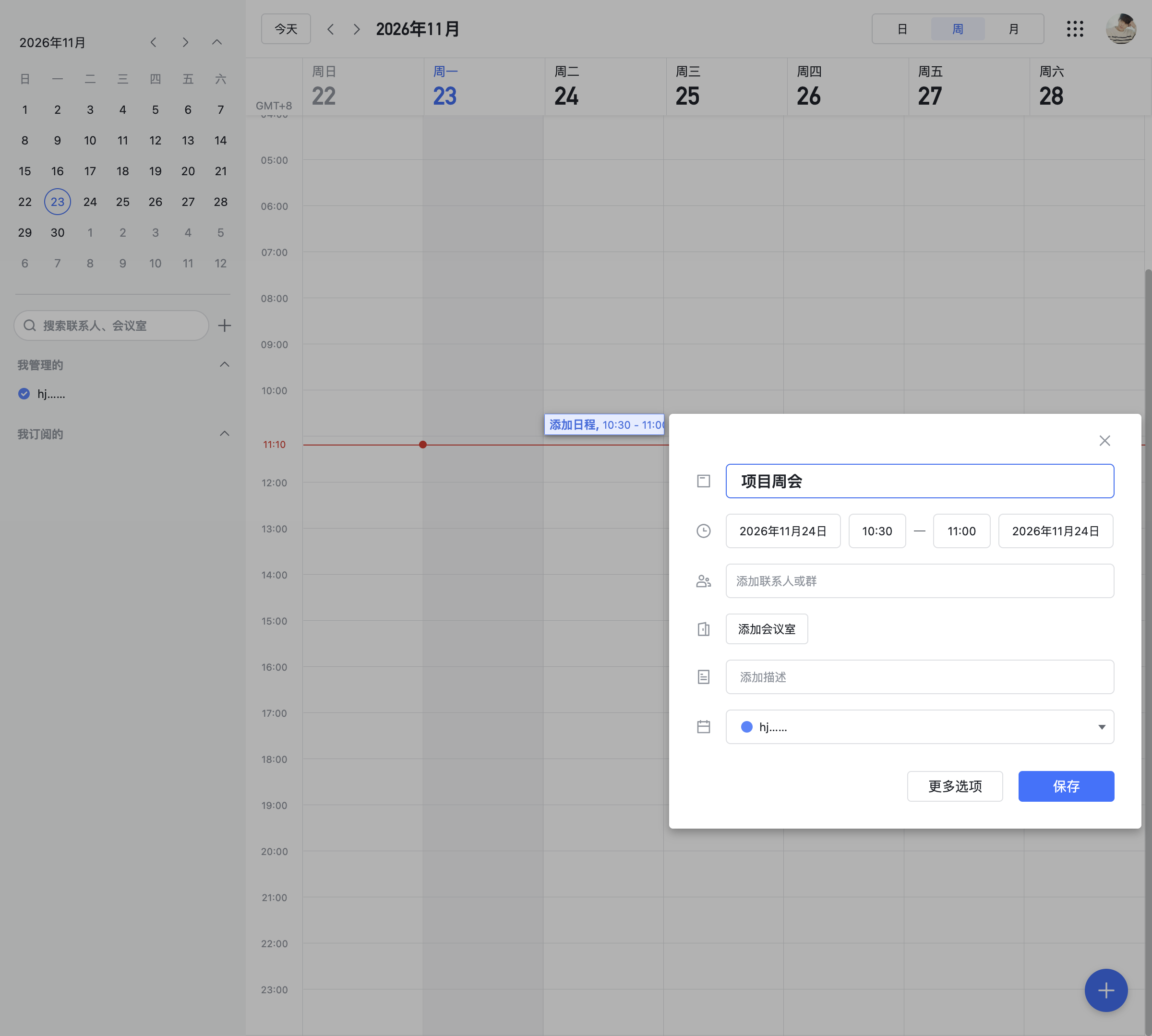
| FS-L05 | 填写主题“项目周会” | https://www.user.feishu.cn/calendar/week→ https://www.user.feishu.cn/calendar/week | 否 | 实测 | 05-create-filled.png | 标题、时间、参与人、提醒均可见 |
| FS-L06 | 点击保存 | https://www.user.feishu.cn/calendar/week→ https://www.user.feishu.cn/calendar/week | 否 | 实测 | 06-single-event.png | 单条日程;出现“保存成功”提示 |
| FS-L07 | 鼠标悬停日程 | https://www.user.feishu.cn/calendar/week→ https://www.user.feishu.cn/calendar/week | 否 | 实测 | 07-hover-event.png | 仅光标与轻微高亮,无 tooltip;与普通态几乎一致 |
| FS-L08 | 点击日程 | https://www.user.feishu.cn/calendar/week→ https://www.user.feishu.cn/calendar/week?ikey=<ephemeral> | 是 | 实测 | 08-click-event.png | 蓝色详情卡:主题、时间、提醒、日历、编辑/删除/更多/关闭 |
| FS-L09 | 创建多个日程 | https://www.user.feishu.cn/calendar/week→ https://www.user.feishu.cn/calendar/week | 否 | 实测 | 09-multi-events.png | 项目周会、设计评审、客户方案同步、季度复盘同屏 |
| FS-L10 | 点击右下角 + | https://www.user.feishu.cn/calendar/week→ https://www.user.feishu.cn/calendar/eventedit | 是 | 实测 | 10-full-create.png | 主题、日期/时间、时区、重复、全天、会议室、地点、提醒、日历、公开范围、忙闲、参与者权限、描述 |
| FS-L11 | 设置 10:45-11:15 | https://www.user.feishu.cn/calendar/week→ https://www.user.feishu.cn/calendar/eventedit | 是 | 推导 | 11-overlap-form.png | 开始/结束时间可编辑;保存按钮在非法时间时禁用 |
| FS-L12 | 保存重叠日程 | https://www.user.feishu.cn/calendar/eventedit→ https://www.user.feishu.cn/calendar/week | 是 | 推导 | 12-overlap.png | 周视图允许重叠,未出现显式冲突警告;两条日程文字互相挤压 |
| FS-L13 | CDP latency 2.5s / 35KB/s 后刷新 | https://www.user.feishu.cn/calendar/week→ https://www.user.feishu.cn/calendar/week | 否 | 实测 | 13-weak-loading.png | 仅三个蓝点加载动画,无文字/进度 |
| FS-L14 | 弱网等待约 6s | https://www.user.feishu.cn/calendar/week→ https://www.user.feishu.cn/calendar/week | 否 | 实测 | 14-weak-loaded.png | 仍为加载动画,无超时提示 |
| FS-L15 | CDP offline=true 后等待 | https://www.user.feishu.cn/calendar/week→ https://www.user.feishu.cn/calendar/week | 否 | 实测 | 15-offline.png | 页面仍显示缓存日历,无“离线”横幅或时间戳 |
| FS-L16 | 断网状态下新建日程并保存 | https://www.user.feishu.cn/calendar/week→ https://www.user.feishu.cn/calendar/week | 否 | 实测 | 19-offline-save.png | 仍出现“保存成功”提示,未说明是否排队同步 |
| FS-L17 | 创建 09:00-09:30 日程 | https://www.user.feishu.cn/calendar/week→ https://www.user.feishu.cn/calendar/week | 否 | 实测 | 21-reminder-setup.png | 过去日程呈灰色/低饱和,仍在周视图显示 |
| FS-L18 | 11:30 日程,默认提前 5 分钟提醒 | https://www.user.feishu.cn/next/messenger/→ https://www.user.feishu.cn/next/messenger/ | 否 | 实测 | 25-calendar-assistant.png | 11:20 日历助手出现未读 1;进入会话后内容区为空 |
| FS-L19 | 左侧导航进入任务 | https://www.user.feishu.cn/calendar/week→ https://www.user.feishu.cn/next/task/my-tasks | 是(新标签) | 实测 | 27-tasks.png | “我负责的”空列表;新建任务入口 |
| FS-L20 | 新建任务并回车 | https://www.user.feishu.cn/next/task/my-tasks→ https://www.user.feishu.cn/next/task/my-tasks | 否 | 实测 | 29-task-created.png | 任务创建成功,出现“查看详情” |
| FS-L21 | 点击任务行 | https://www.user.feishu.cn/next/task/my-tasks→ https://www.user.feishu.cn/next/task/my-tasks?task=<task_id> | 是 | 实测 | 30-task-detail.png | 详情含完成、今天/明天/其他时间、清单、描述、子任务、附件、评论 |
| FS-L22 | 点击其他时间 | https://www.user.feishu.cn/next/task/my-tasks?task=<task_id>→ https://www.user.feishu.cn/next/task/my-tasks?task=<task_id> | 否 | 推导 | 32-task-othertime.png | 出现开始日期、截止日期输入 |
| FS-L23 | 11:30 日程,11:31 点击日历助手 | https://www.user.feishu.cn/calendar/week→ https://www.user.feishu.cn/calendar/week | 否 | 实测 | 34-calendar-reminder-start.png | 右上角日历助手卡:主题“提醒测试”、时间 11:30、关闭;背景同时打开创建/编辑浮层;未看到“稍后提醒/加入会议” |
完整截图序列

打开 feishu.cn/messenger
真实登录页,二维码入口
登录后进入消息
仅有账号安全中心通知,无群聊
左侧导航点击日历
空周视图;左侧“我管理的/我订阅的”
在周二 10:30 空白处点击
出现“添加日程, 10:30-11:00”、主题、参与人、会议室、描述、日历、保存
填写主题“项目周会”
标题、时间、参与人、提醒均可见
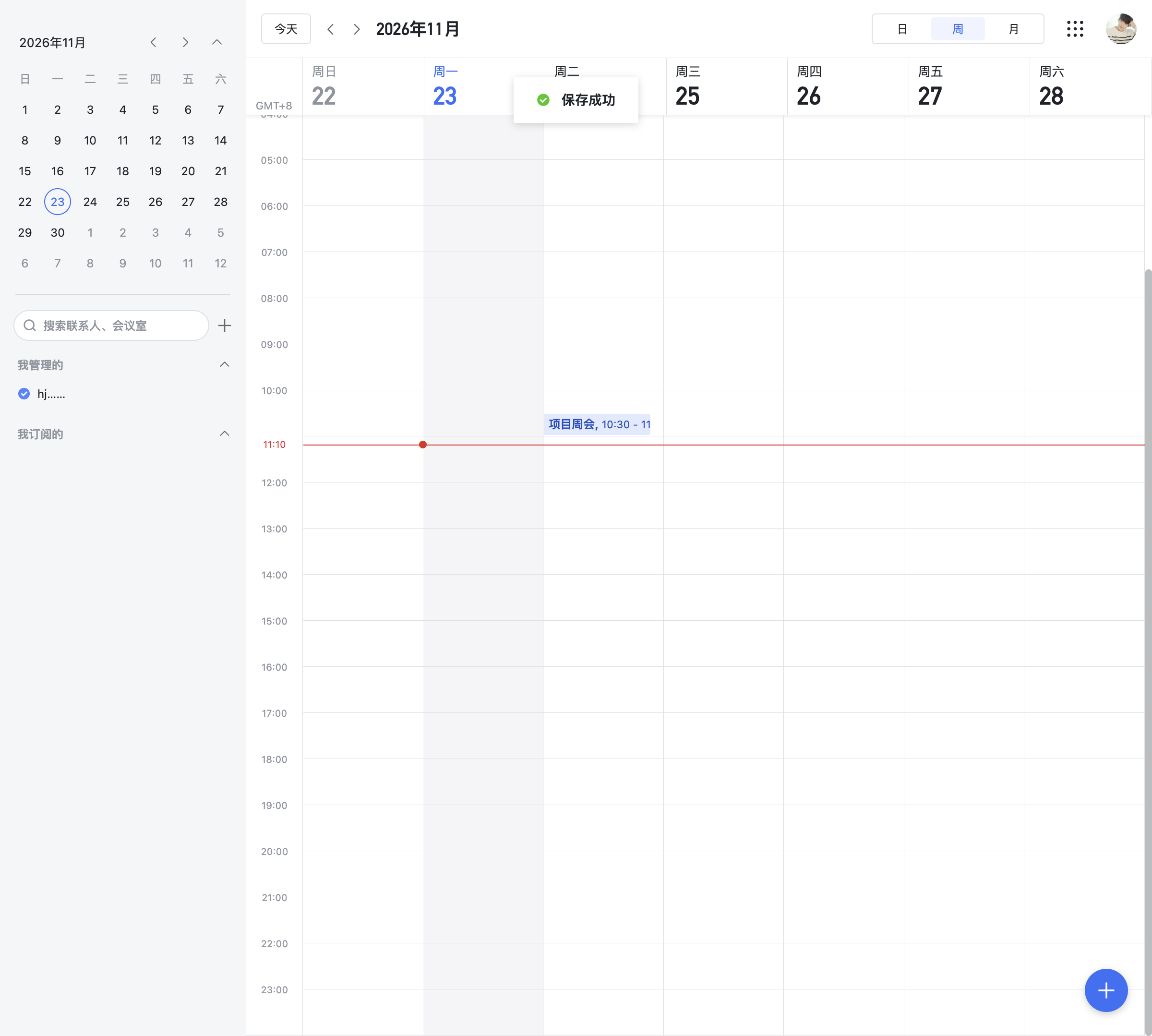
点击保存
单条日程;出现“保存成功”提示
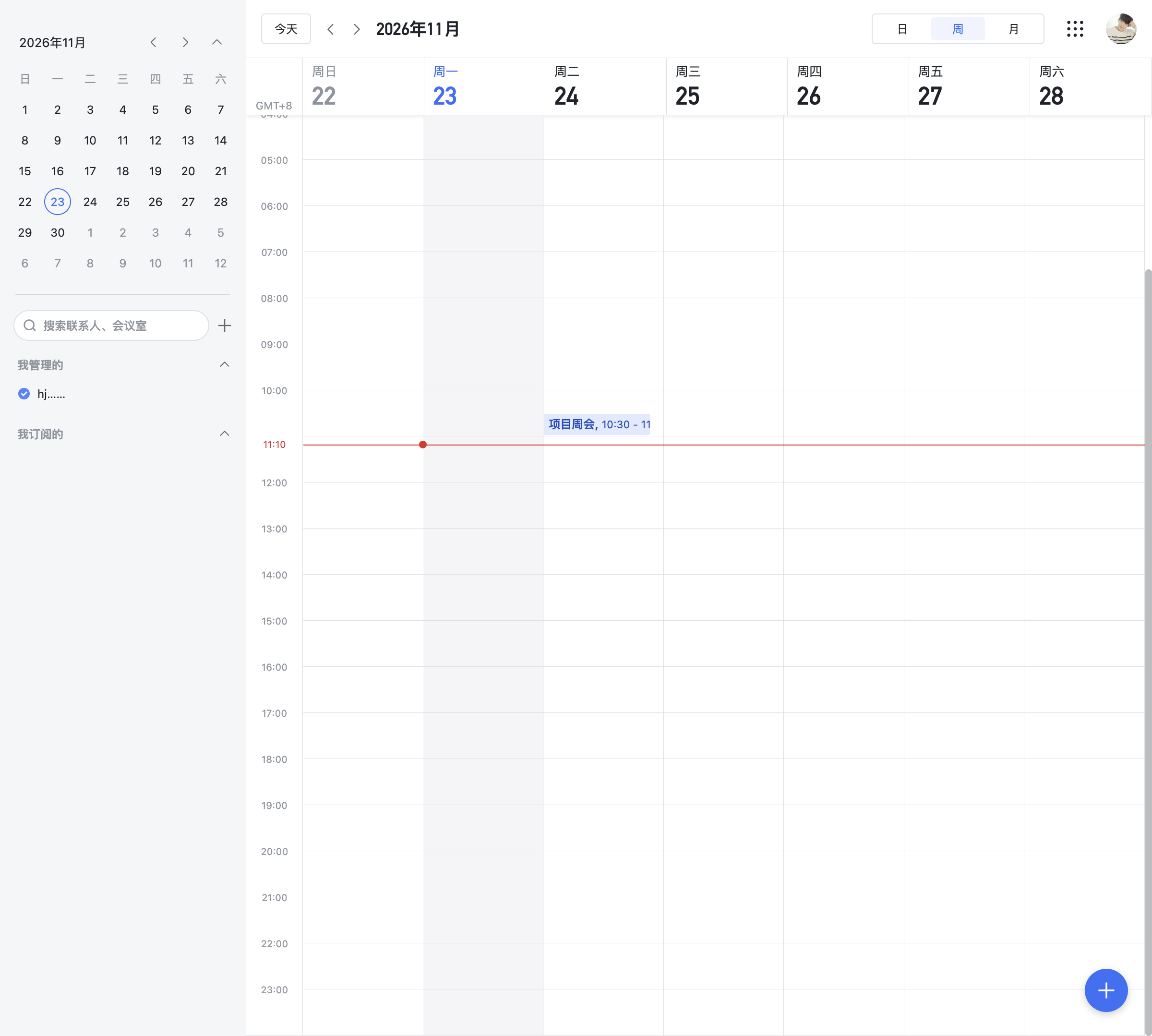
鼠标悬停日程
仅光标与轻微高亮,无 tooltip;与普通态几乎一致
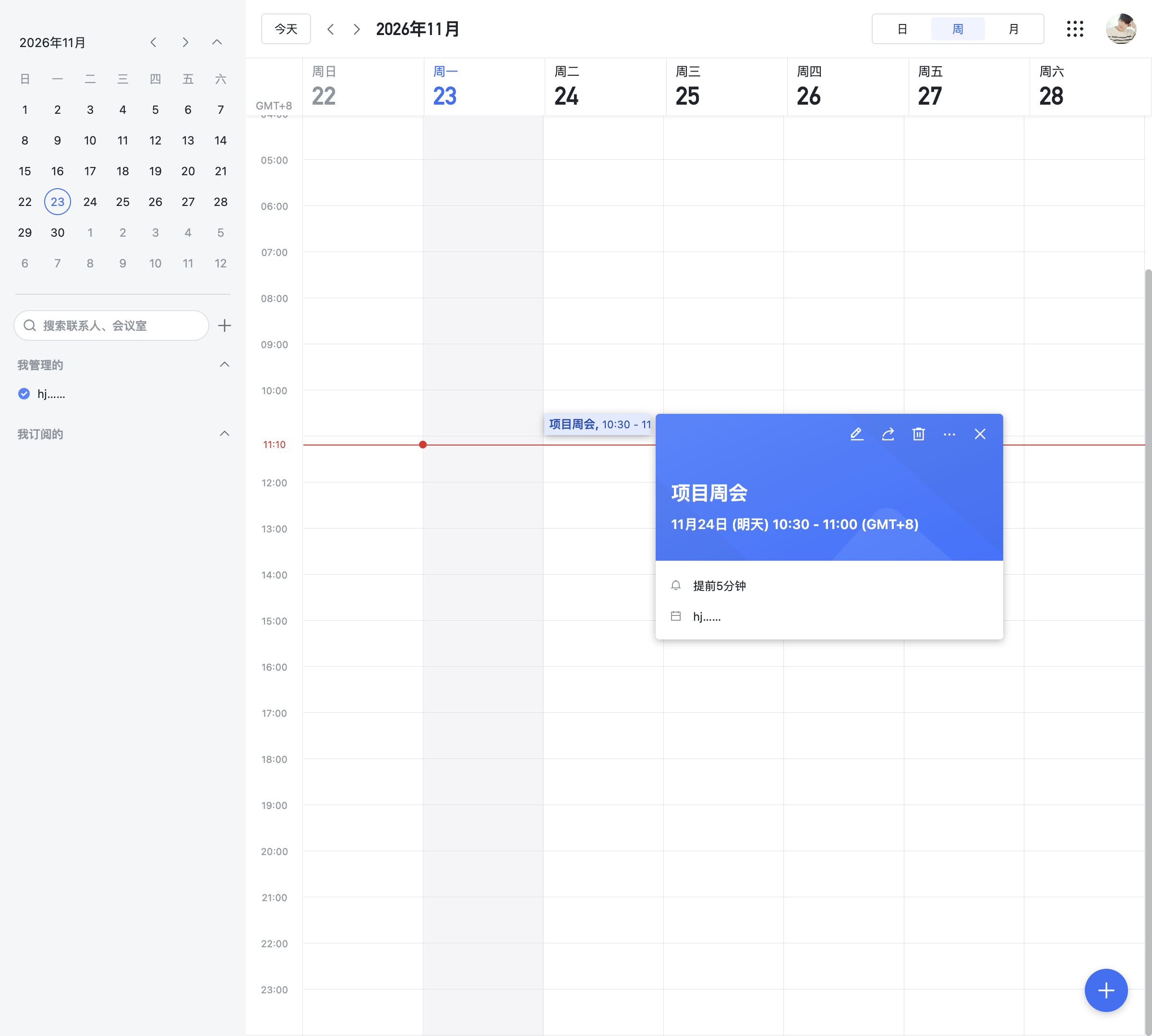
点击日程
蓝色详情卡:主题、时间、提醒、日历、编辑/删除/更多/关闭
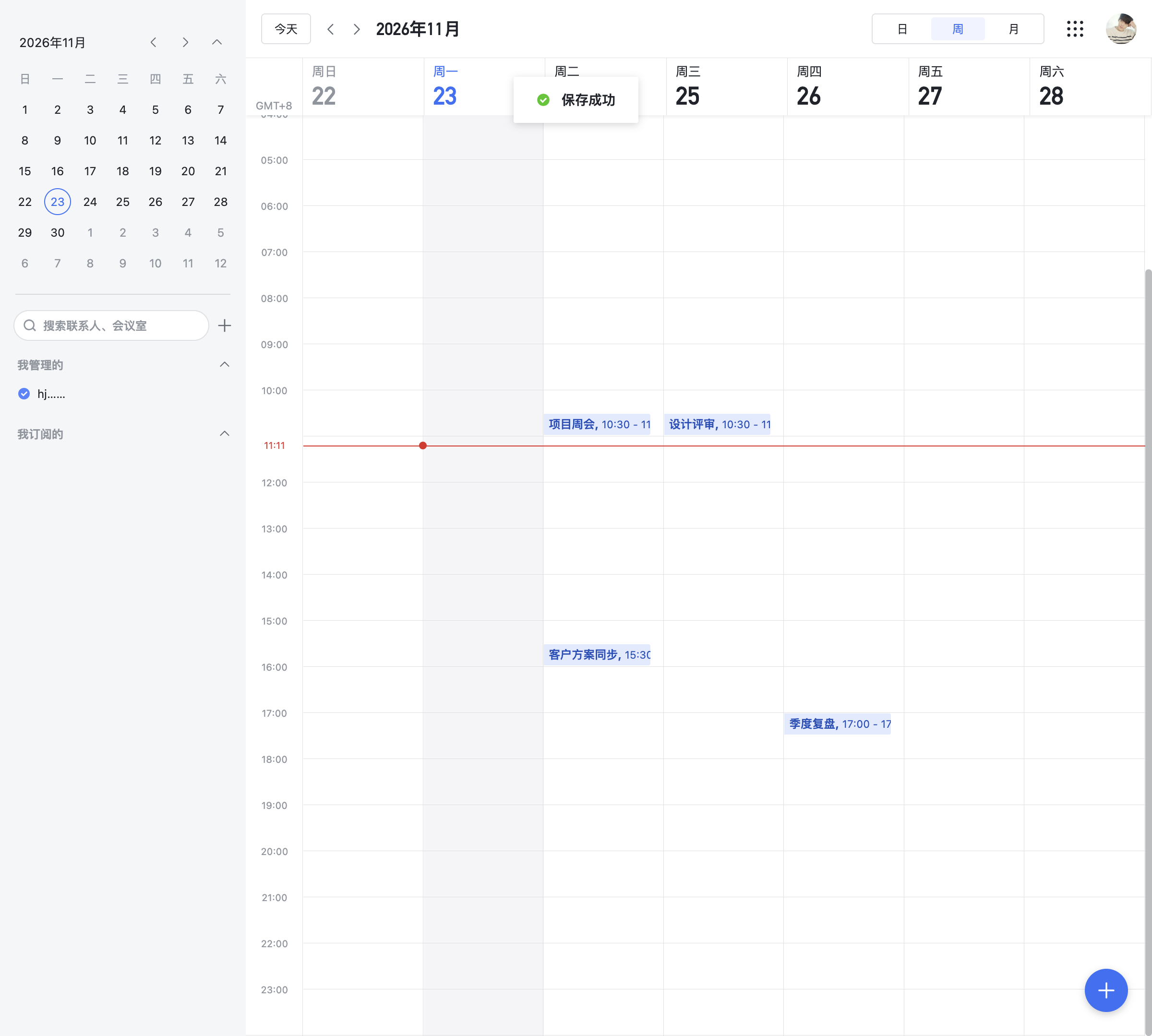
创建多个日程
项目周会、设计评审、客户方案同步、季度复盘同屏
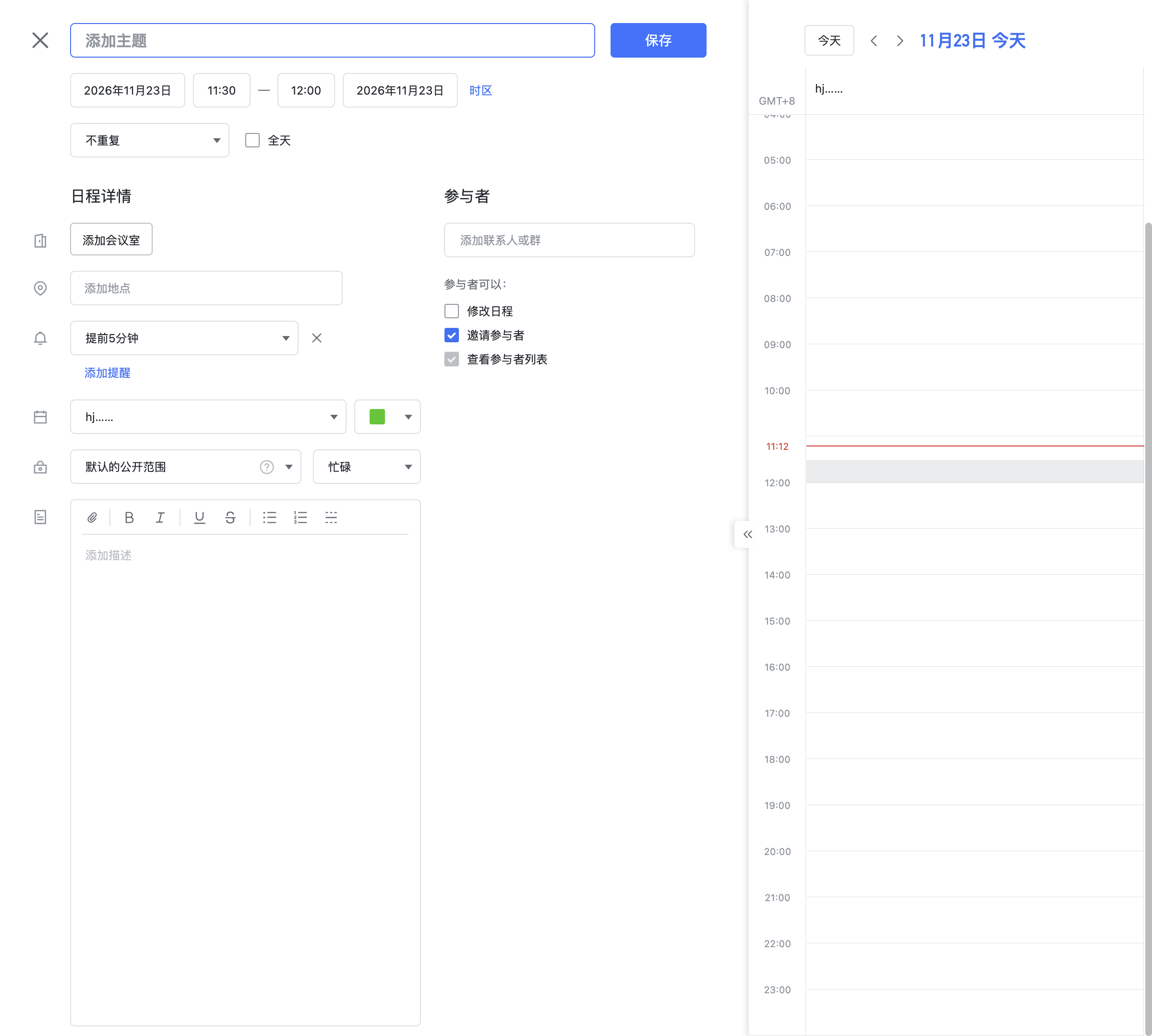
点击右下角 +
主题、日期/时间、时区、重复、全天、会议室、地点、提醒、日历、公开范围、忙闲、参与者权限、描述
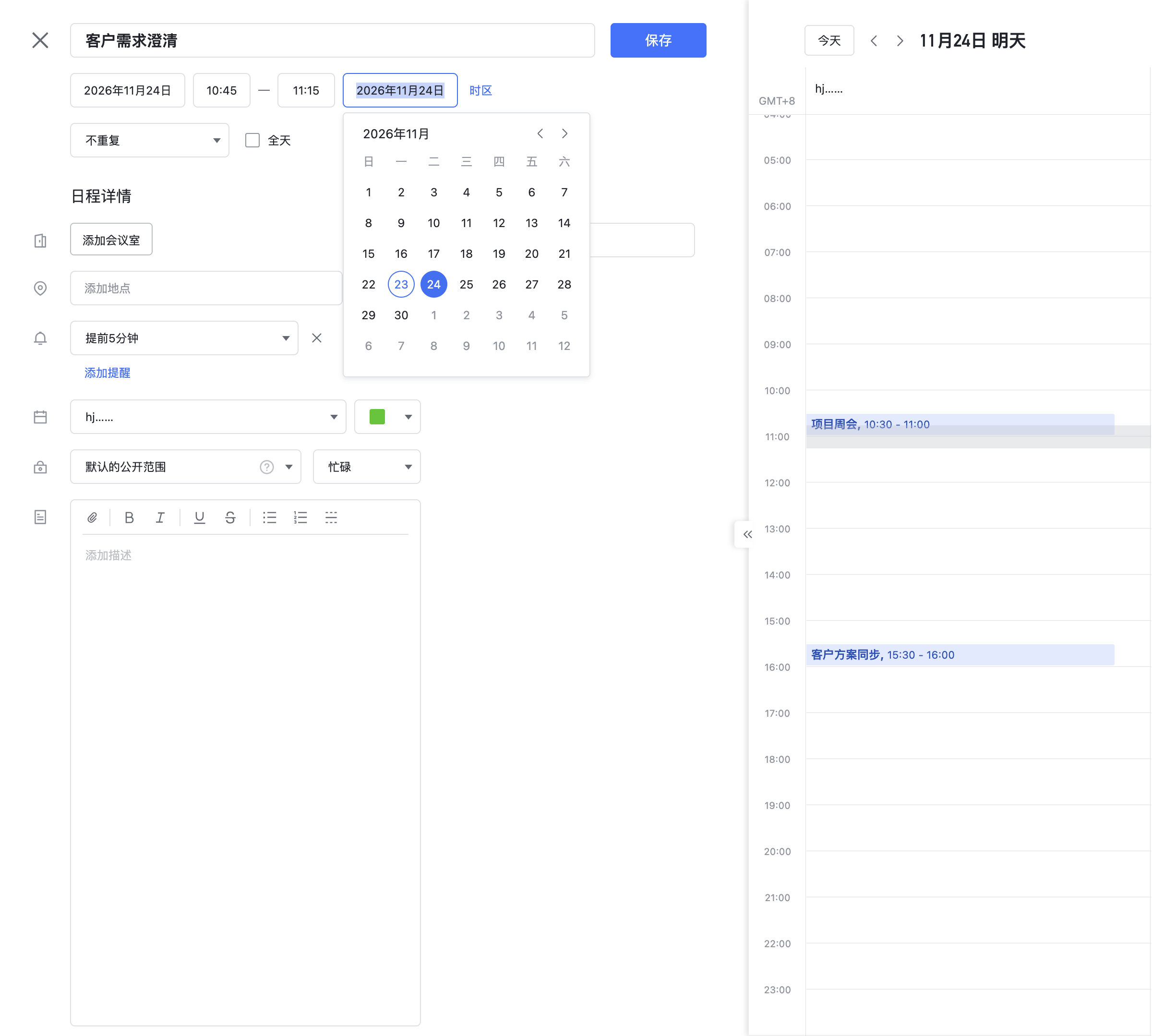
设置 10:45-11:15
开始/结束时间可编辑;保存按钮在非法时间时禁用
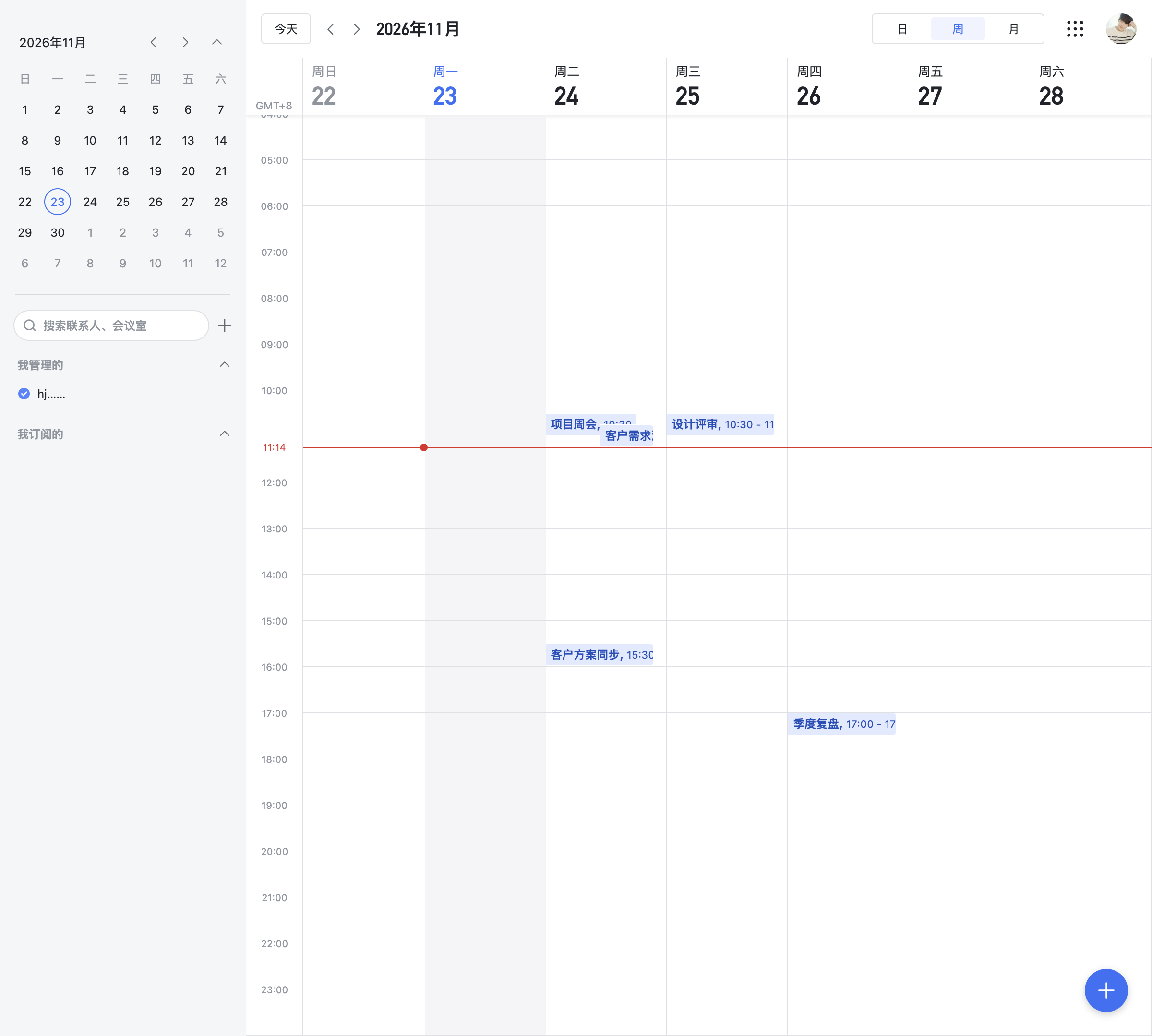
保存重叠日程
周视图允许重叠,未出现显式冲突警告;两条日程文字互相挤压

CDP latency 2.5s / 35KB/s 后刷新
仅三个蓝点加载动画,无文字/进度

弱网等待约 6s
仍为加载动画,无超时提示
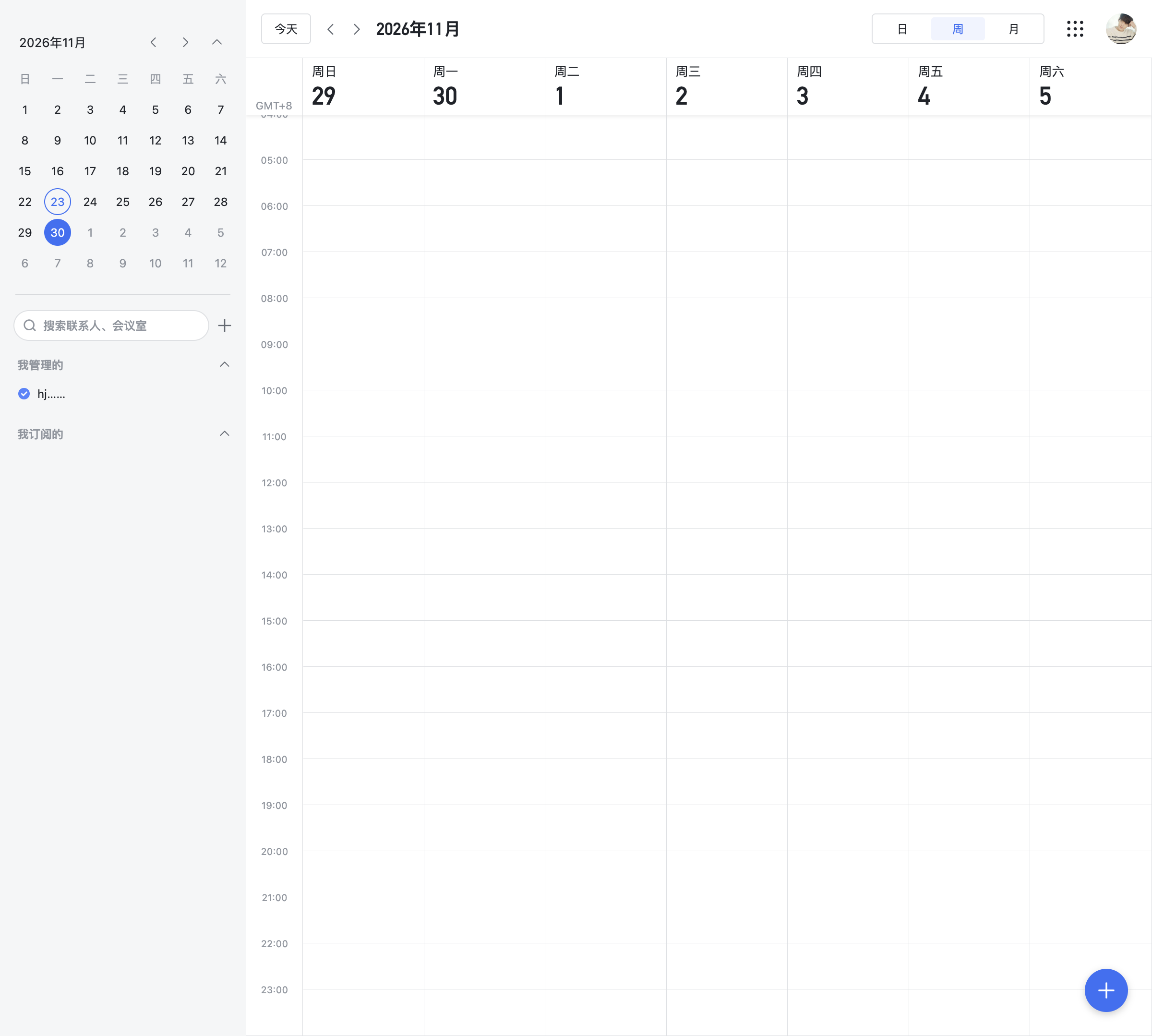
CDP offline=true 后等待
页面仍显示缓存日历,无“离线”横幅或时间戳
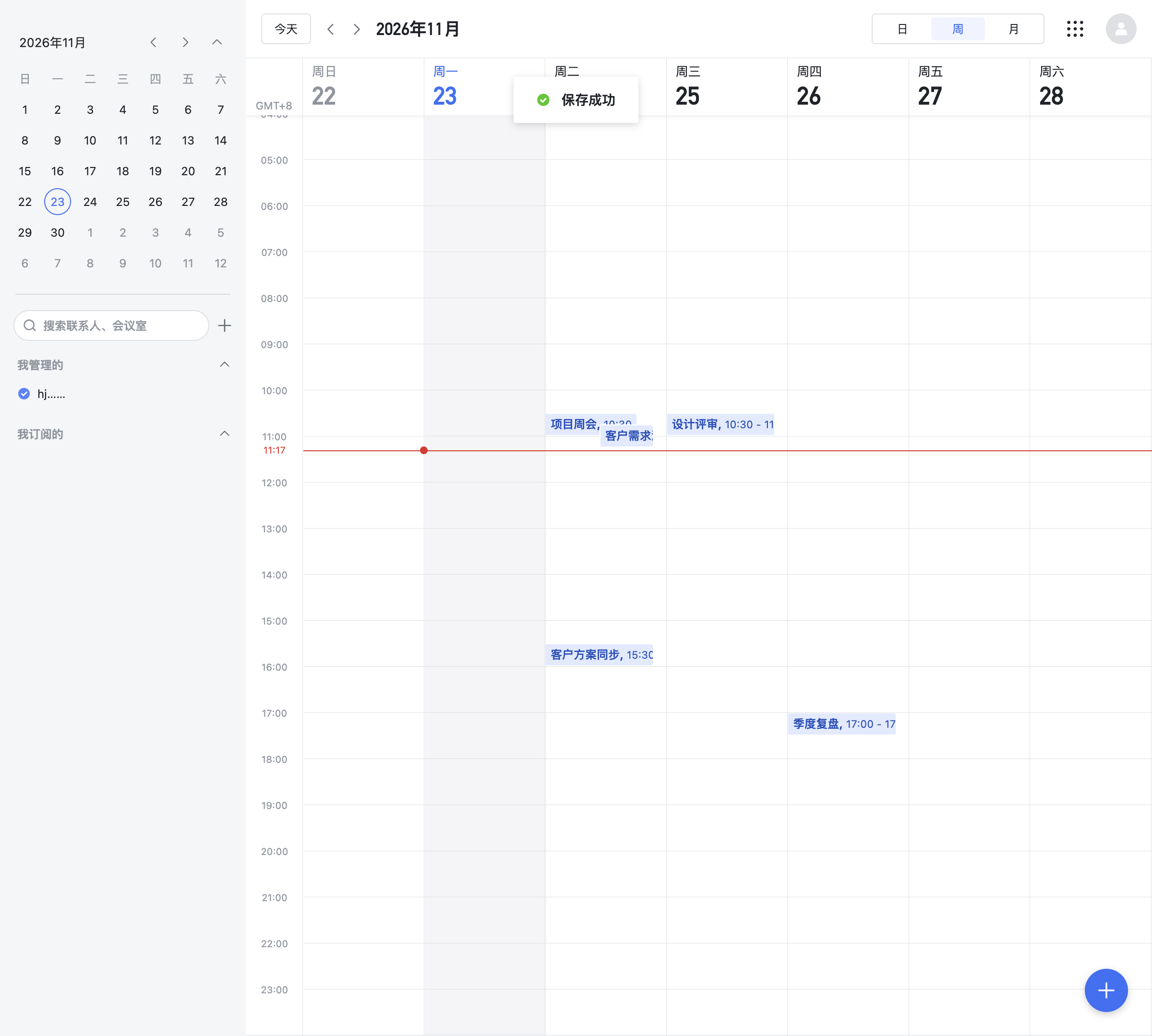
断网状态下新建日程并保存
仍出现“保存成功”提示,未说明是否排队同步
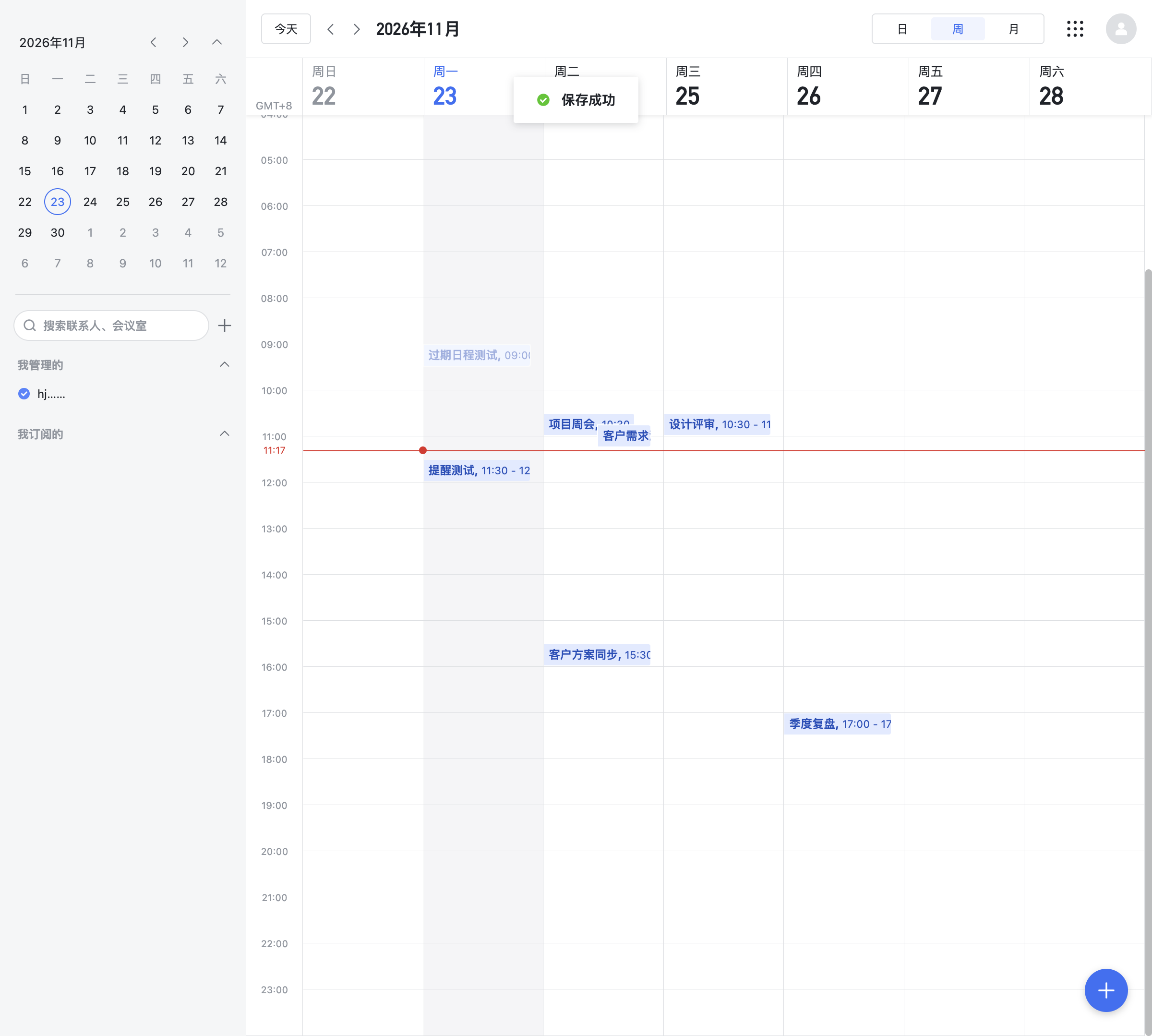
创建 09:00-09:30 日程
过去日程呈灰色/低饱和,仍在周视图显示
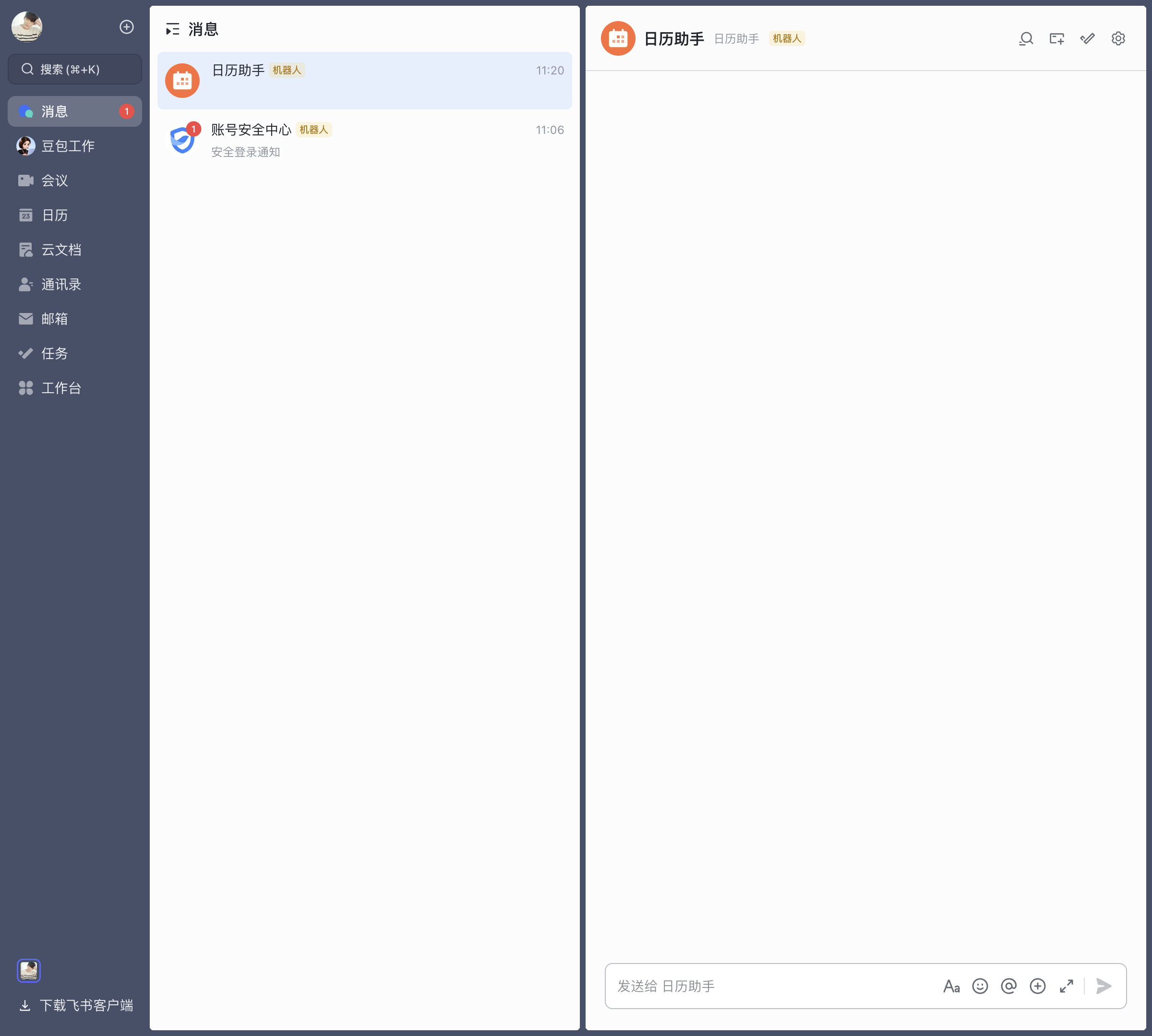
11:30 日程,默认提前 5 分钟提醒
11:20 日历助手出现未读 1;进入会话后内容区为空
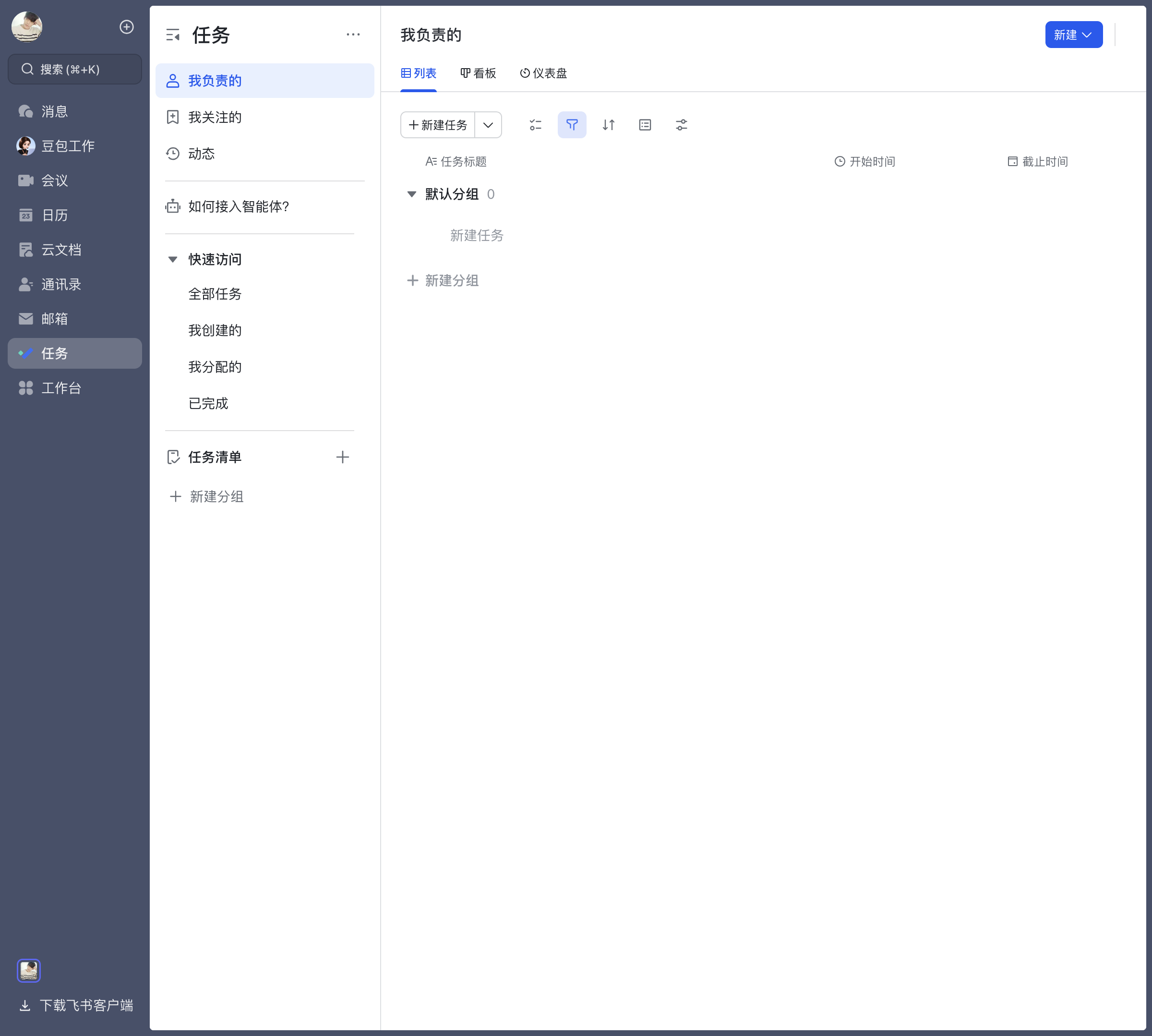
左侧导航进入任务
“我负责的”空列表;新建任务入口
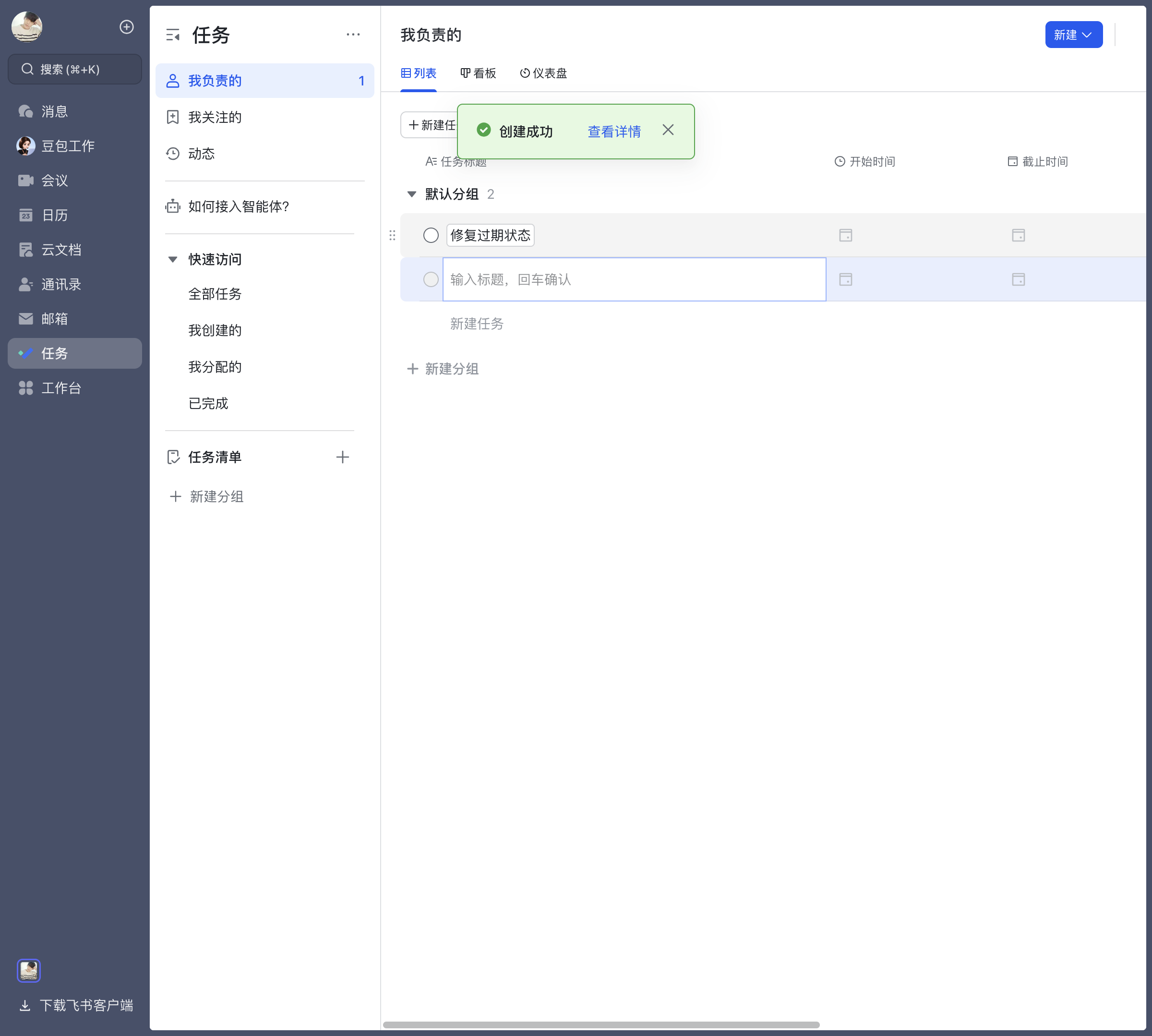
新建任务并回车
任务创建成功,出现“查看详情”
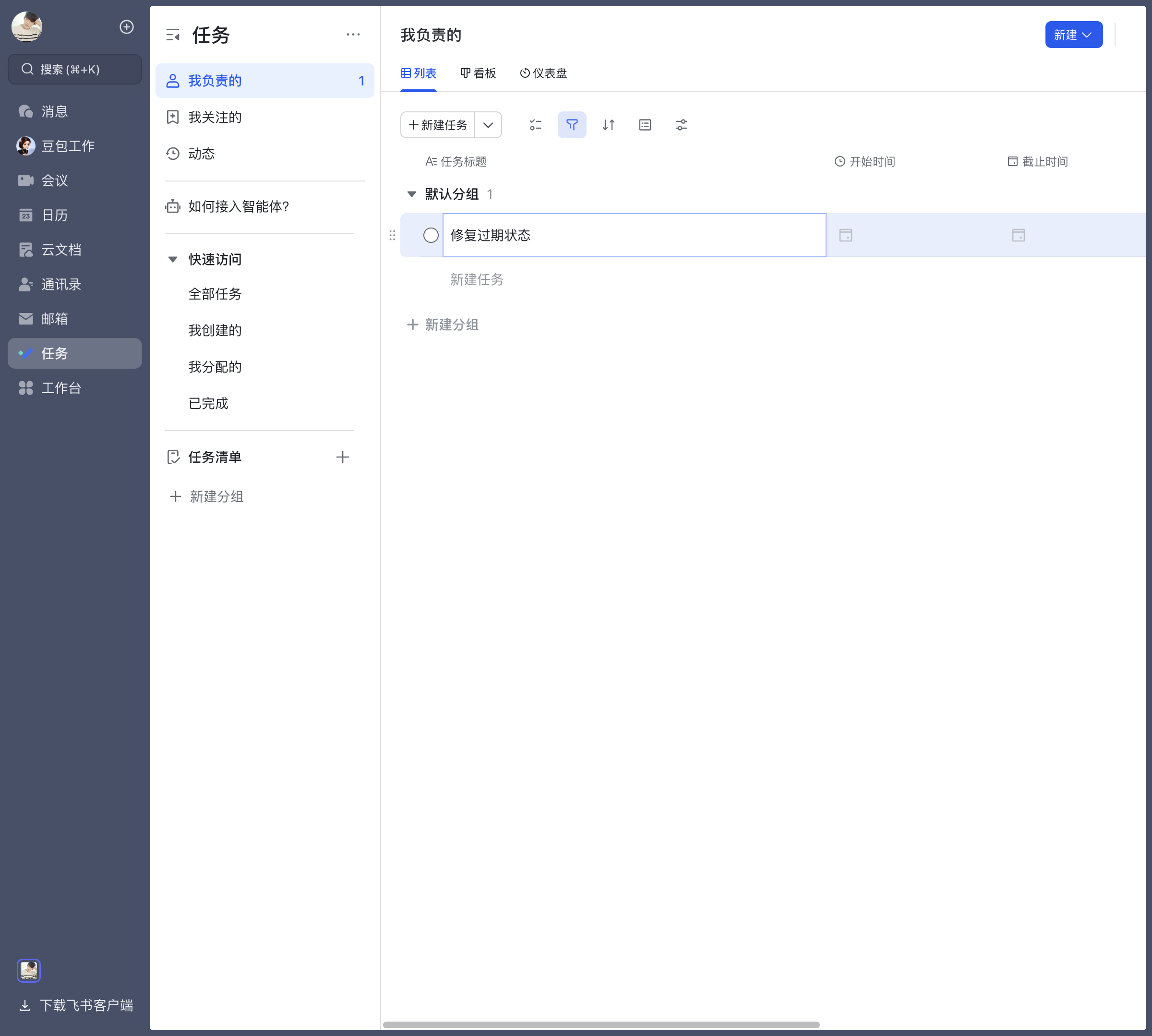
点击任务行
详情含完成、今天/明天/其他时间、清单、描述、子任务、附件、评论
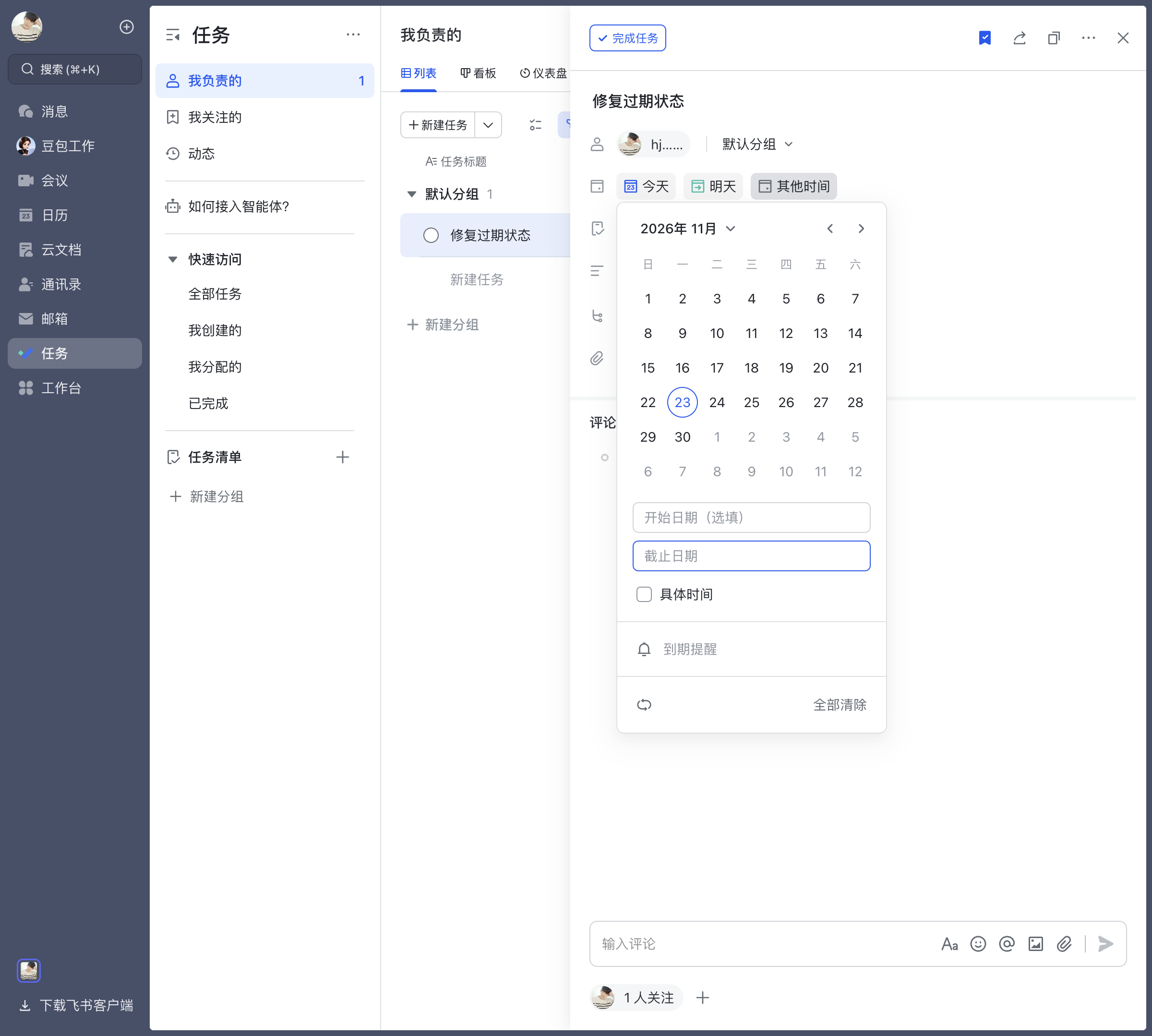
点击其他时间
出现开始日期、截止日期输入
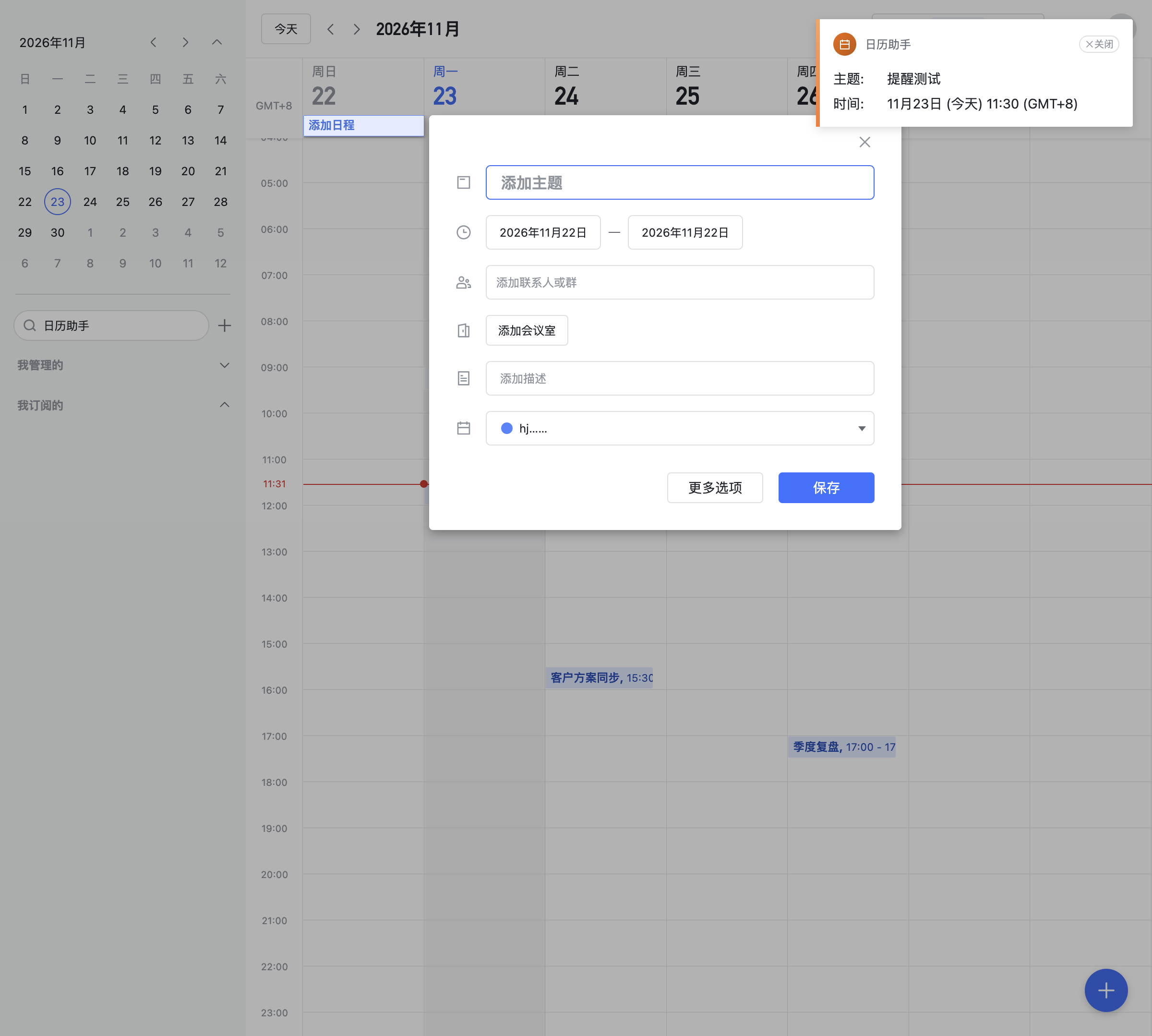
11:30 日程,11:31 点击日历助手
右上角日历助手卡:主题“提醒测试”、时间 11:30、关闭;背景同时打开创建/编辑浮层;未看到“稍后提醒/加入会议”
Google Calendar
13 states入口:https://calendar.google.com/calendar/u/0/r/week
| ID | 操作 / 触发 | 入口 URL → 状态 URL | 变化 | URL 证据 | 截图 | 观察值(截断) |
|---|---|---|---|---|---|---|
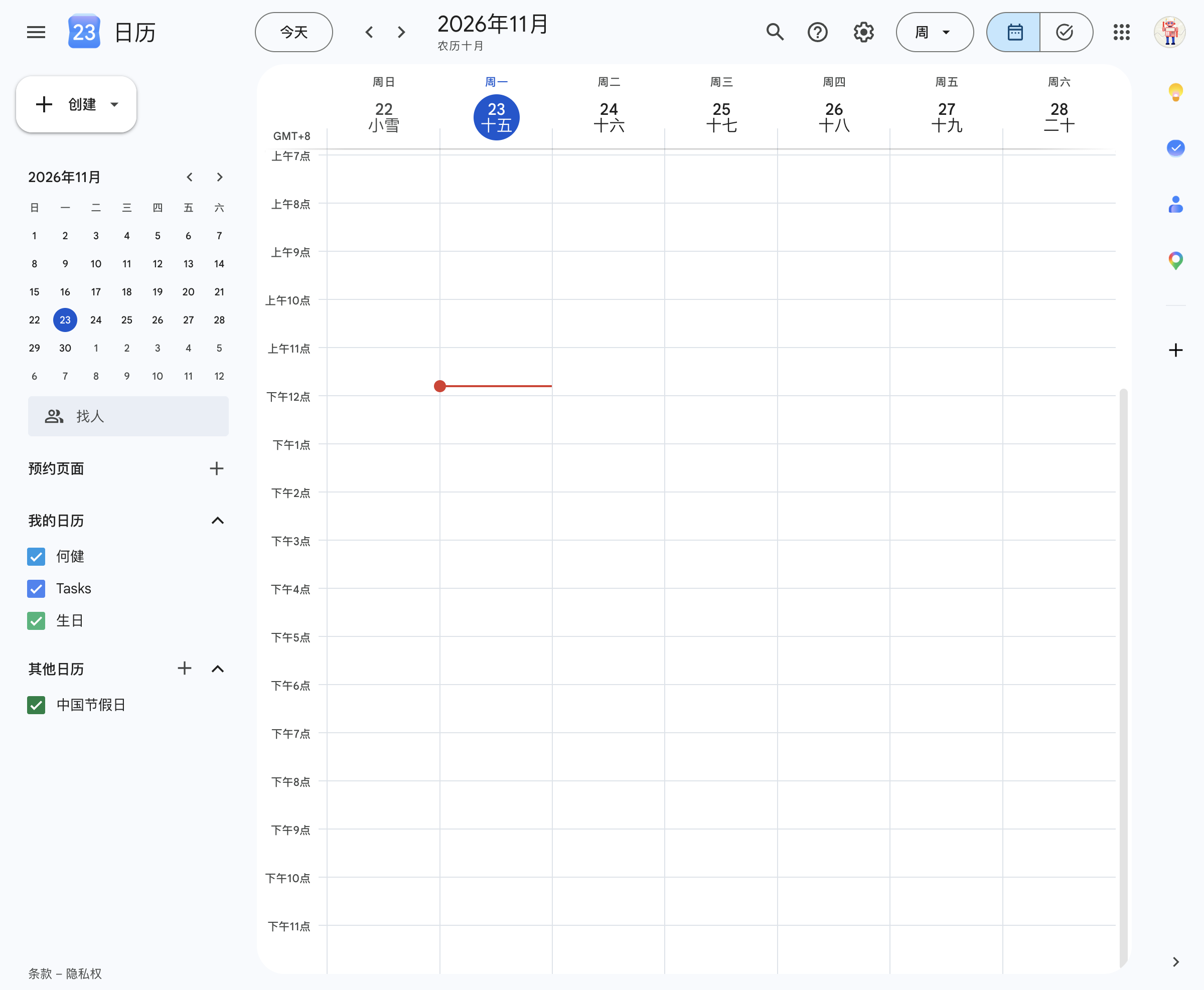
| GS-L01 | 登录后打开周视图 | https://calendar.google.com/calendar/u/0/r/week→ https://calendar.google.com/calendar/u/0/r/week | 否 | 实测 | 00-empty-week.png | 空周视图;有 Tasks/生日/中国节假日图层和右侧 Keep/Tasks/通讯录/地图入口;无空态引导 |
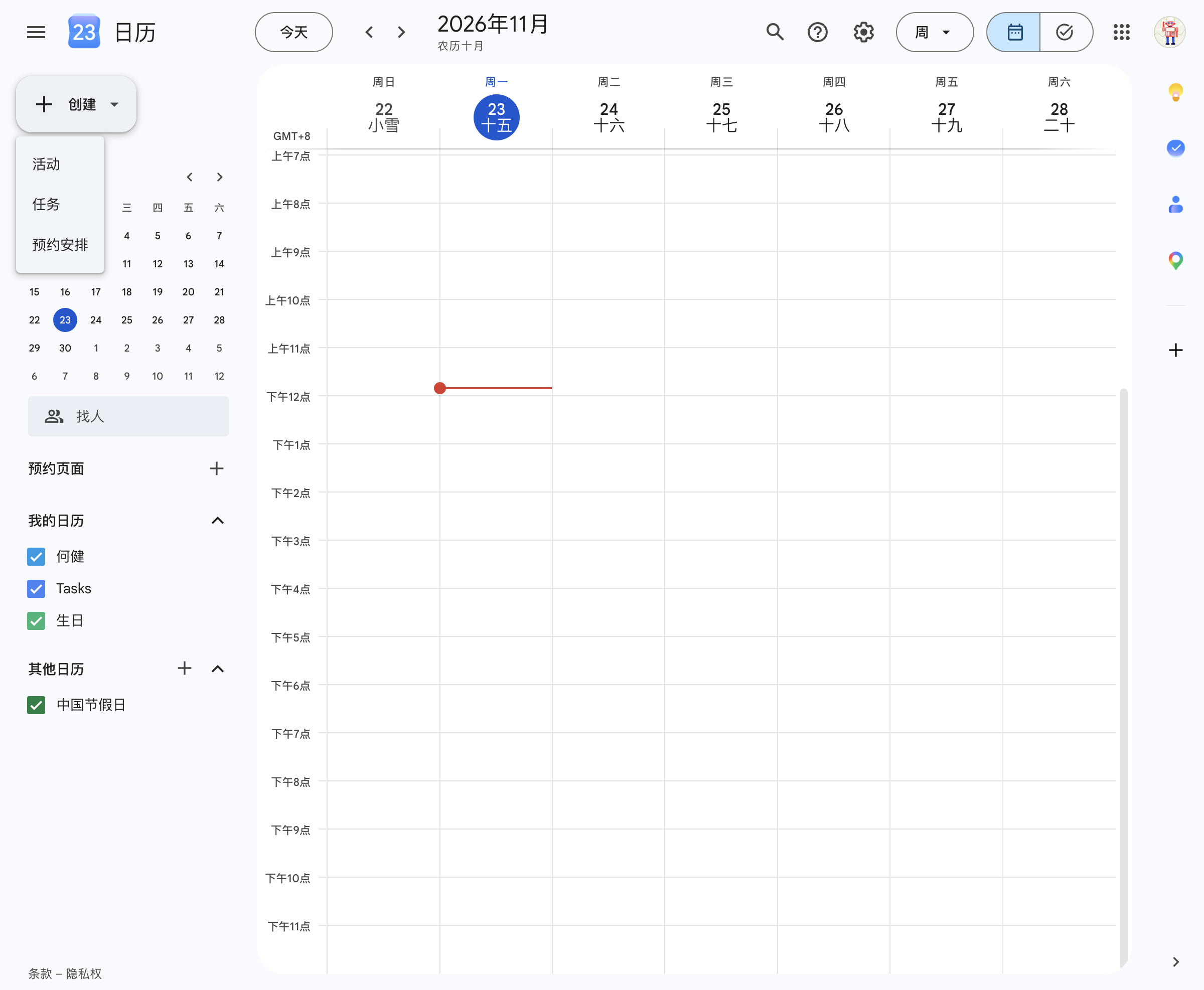
| GS-L02 | 点击左上角“创建” | https://calendar.google.com/calendar/u/0/r/week→ https://calendar.google.com/calendar/u/0/r/week | 否 | 实测 | 01-create-menu.png | 菜单只有 活动、任务、预约安排 三项;活动与任务分开 |
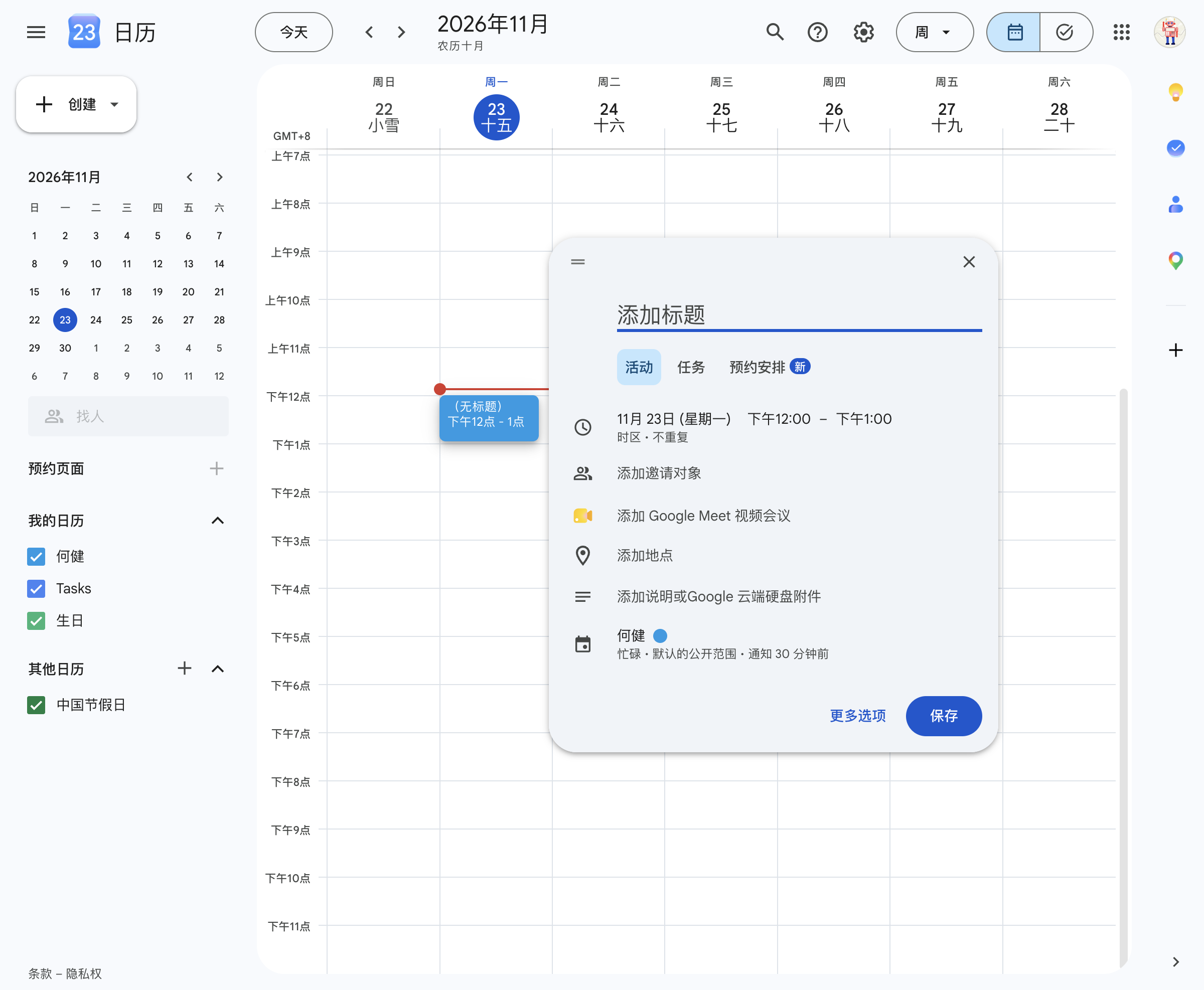
| GS-L03 | 创建 > 活动 | https://calendar.google.com/calendar/u/0/r/week→ https://calendar.google.com/calendar/u/0/r/week | 否 | 实测 | 02-quick-editor.png | 快速浮层可切换 活动/任务/预约安排;默认 12:00–13:00;默认提醒 30 分钟 |
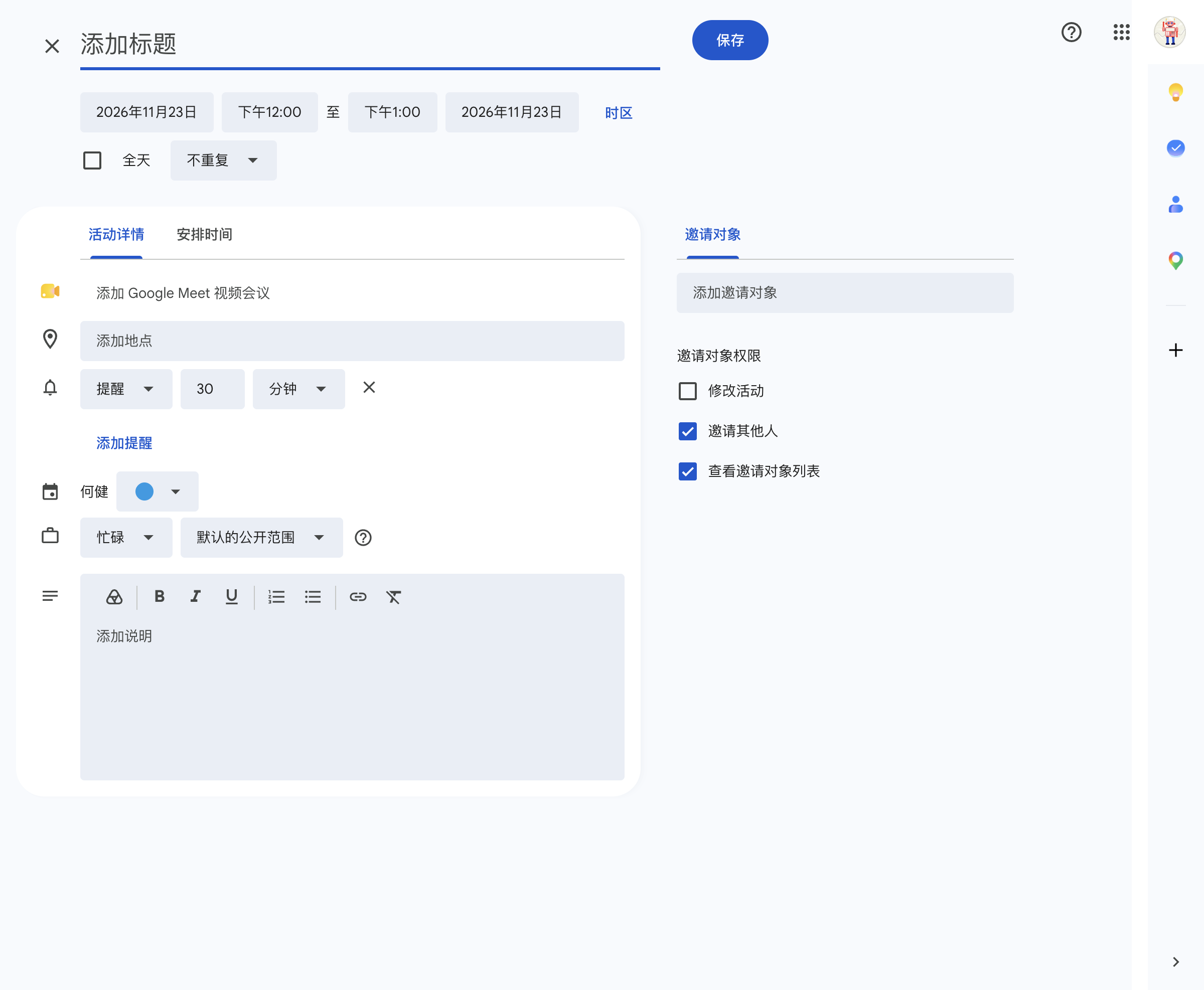
| GS-L04 | 快速浮层 > 更多选项 | https://calendar.google.com/calendar/u/0/r/week→ https://calendar.google.com/calendar/u/0/r/eventedit?state=<ephemeral>&pli=1 | 是 | 实测 | 03-full-editor.png | 完整编辑器含时间、重复、邀请对象权限、提醒、忙闲、公开范围;没有冲突提示 |
| GS-L05 | 编辑器 > 安排时间 | https://calendar.google.com/calendar/u/0/r/eventedit?state=<ephemeral>&pli=1→ https://calendar.google.com/calendar/u/0/r/eventedit?state=<ephemeral>&pli=1 | 否 | 实测 | 04-scheduling-tab.png | 只显示自己的日视图与灰色忙碌块;没有推荐时段;说明需要可比较的第二个日历 |
| GS-L06 | 保存活动 | https://calendar.google.com/calendar/u/0/r/eventedit?state=<ephemeral>&pli=1→ https://calendar.google.com/calendar/u/0/r/week | 是 | 实测 | 05-single-event.png | 保存成功 toast:已保存活动 + 撤销;事件显示标题与时间 |
| GS-L07 | 鼠标悬停事件 | https://calendar.google.com/calendar/u/0/r/week→ https://calendar.google.com/calendar/u/0/r/week | 否 | 实测 | 06-hover-event.png | 仅高亮,没有 tooltip、参与人、地点或冲突摘要 |
| GS-L08 | 点击事件 | https://calendar.google.com/calendar/u/0/r/week→ https://calendar.google.com/calendar/u/0/r/week | 否 | 实测 | 07-click-event.png | 详情卡显示标题、时间、Meet 链接、30 分钟提醒、组织者;顶部有编辑/删除/邮件/更多 |
| GS-L09 | 创建 12:30–13:30 第二个活动 | https://calendar.google.com/calendar/u/0/r/week→ https://calendar.google.com/calendar/u/0/r/eventedit?state=<ephemeral>&pli=1 | 是 | 推导 | 08-overlap-editor.png | 保存前没有冲突提示;时间直接写入 |
| GS-L10 | 保存第二个活动 | https://calendar.google.com/calendar/u/0/r/eventedit?state=<ephemeral>&pli=1→ https://calendar.google.com/calendar/u/0/r/week | 是 | 推导 | 09-overlap-saved.png | 周视图并排显示两个重叠活动;无冲突警告、无影响说明 |
| GS-L11 | CDP 4s latency / 50kbps 后刷新 | https://calendar.google.com/calendar/u/0/r/week→ https://calendar.google.com/calendar/u/0/r/week | 否 | 实测 | 10-weak-loading.png | 只渲染周网格骨架和日期;日历列表与事件文本为 null/undefined;无 spinner、进度或超时提示 |
| GS-L12 | CDP offline 后创建并保存 | https://calendar.google.com/calendar/u/0/r/week→ https://calendar.google.com/calendar/u/0/r/week | 否 | 实测 | 11-offline-save.png | 底部提示“您似乎处于离线状态,有些操作可能无法执行”;保存后编辑器不关闭,也没有成功/失败 toast |
| GS-L13 | Notion AI 创建“团队同步”后检查 Google Calendar | https://calendar.google.com/calendar/u/0/r/week→ https://calendar.google.com/calendar/u/0/r/week | 否 | 实测 | 12-notion-source-check.png | Google Calendar 11/24 只有“会议”15:00–16:00,没有“团队同步”15:30–16:30 |
完整截图序列
登录后打开周视图
空周视图;有 Tasks/生日/中国节假日图层和右侧 Keep/Tasks/通讯录/地图入口;无空态引导
点击左上角“创建”
菜单只有 活动、任务、预约安排 三项;活动与任务分开
创建 > 活动
快速浮层可切换 活动/任务/预约安排;默认 12:00–13:00;默认提醒 30 分钟
快速浮层 > 更多选项
完整编辑器含时间、重复、邀请对象权限、提醒、忙闲、公开范围;没有冲突提示
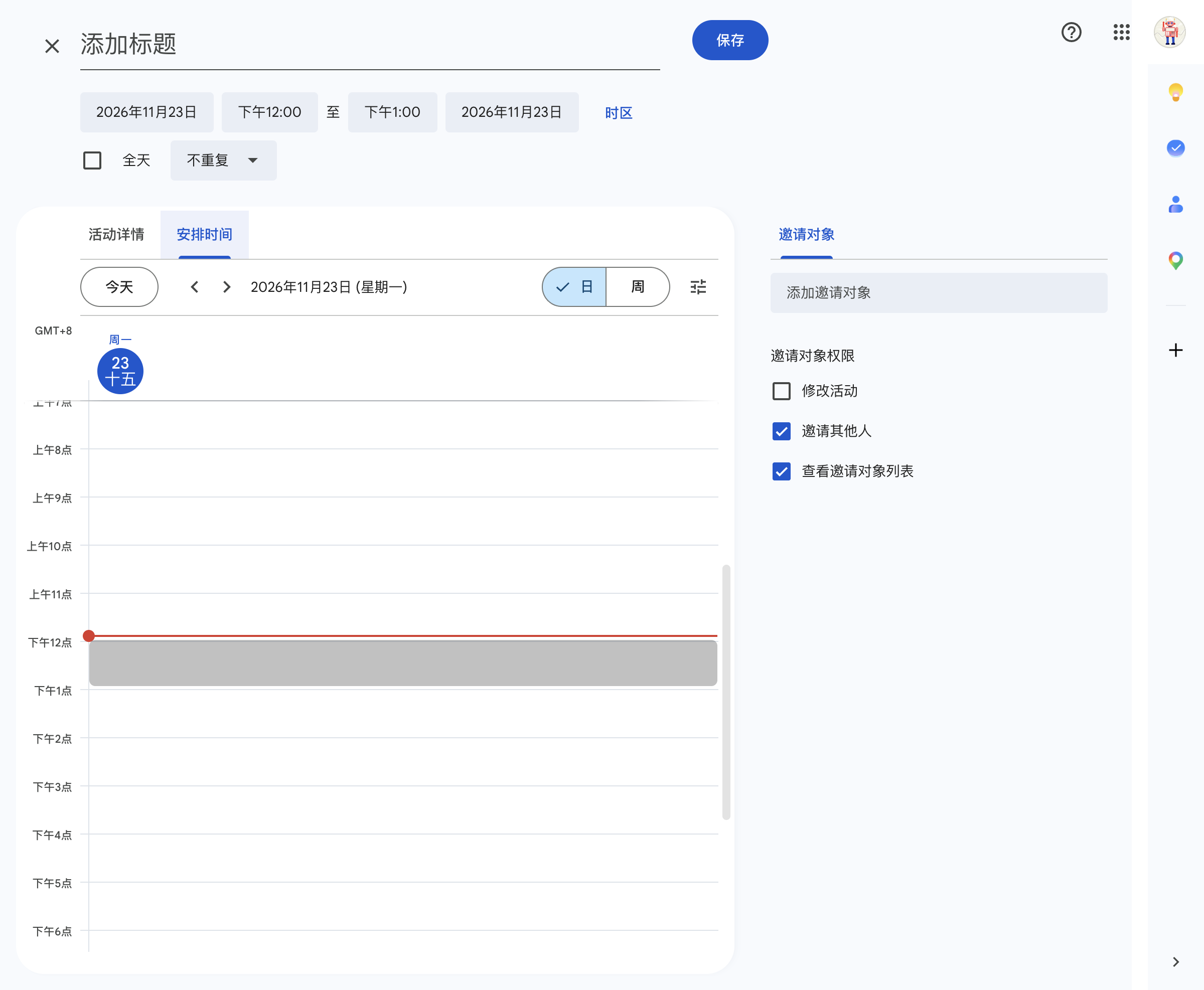
编辑器 > 安排时间
只显示自己的日视图与灰色忙碌块;没有推荐时段;说明需要可比较的第二个日历
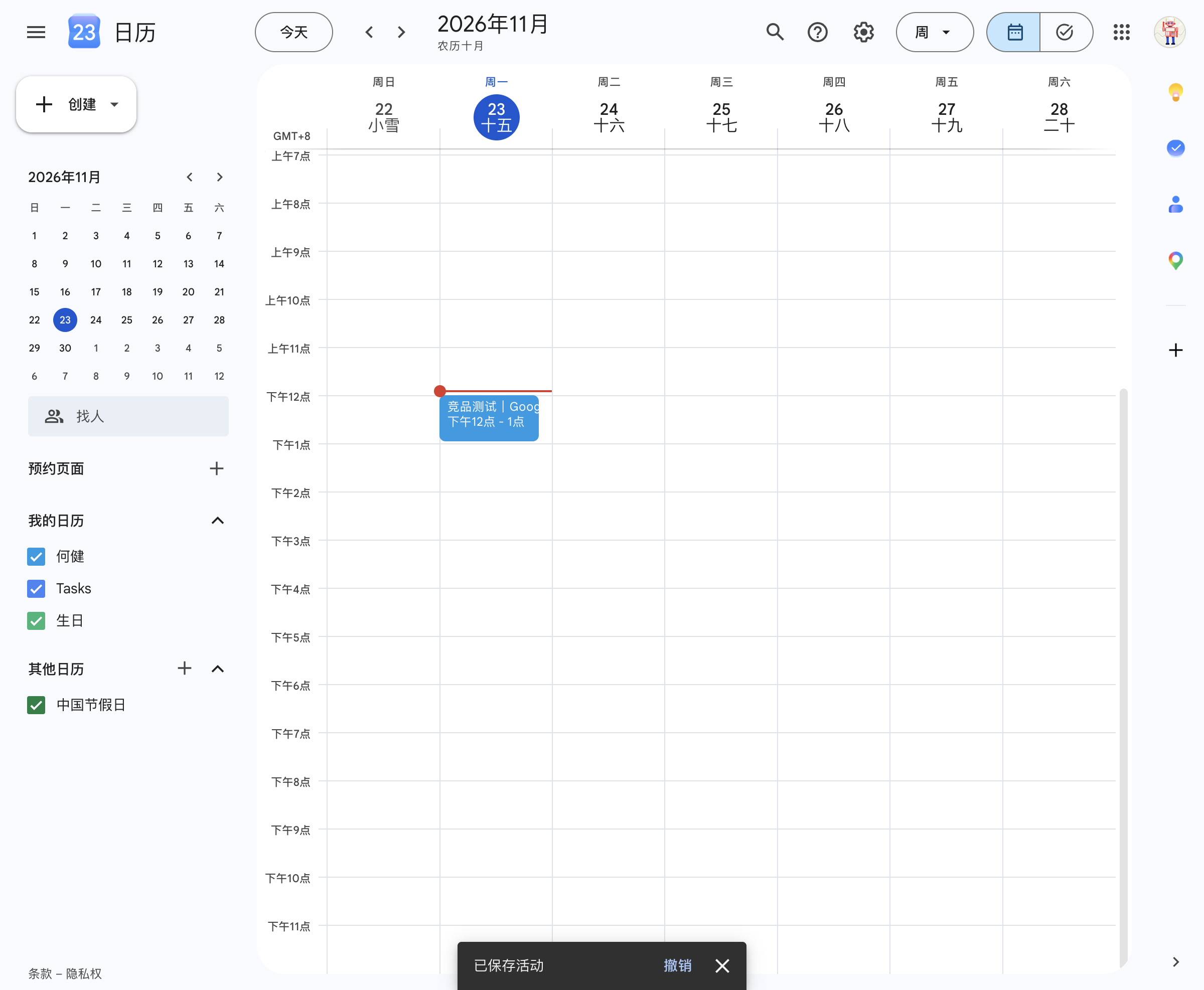
保存活动
保存成功 toast:已保存活动 + 撤销;事件显示标题与时间
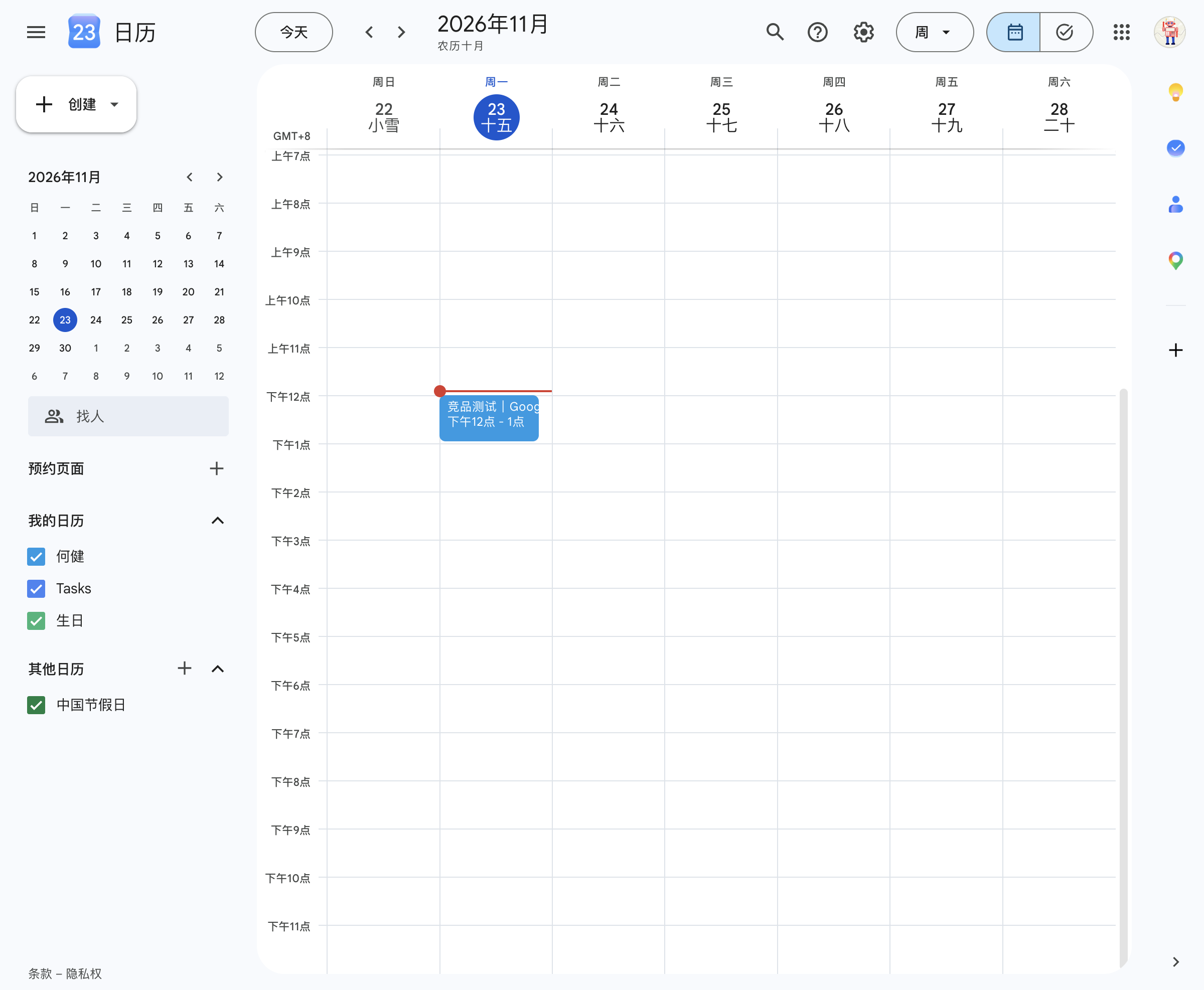
鼠标悬停事件
仅高亮,没有 tooltip、参与人、地点或冲突摘要
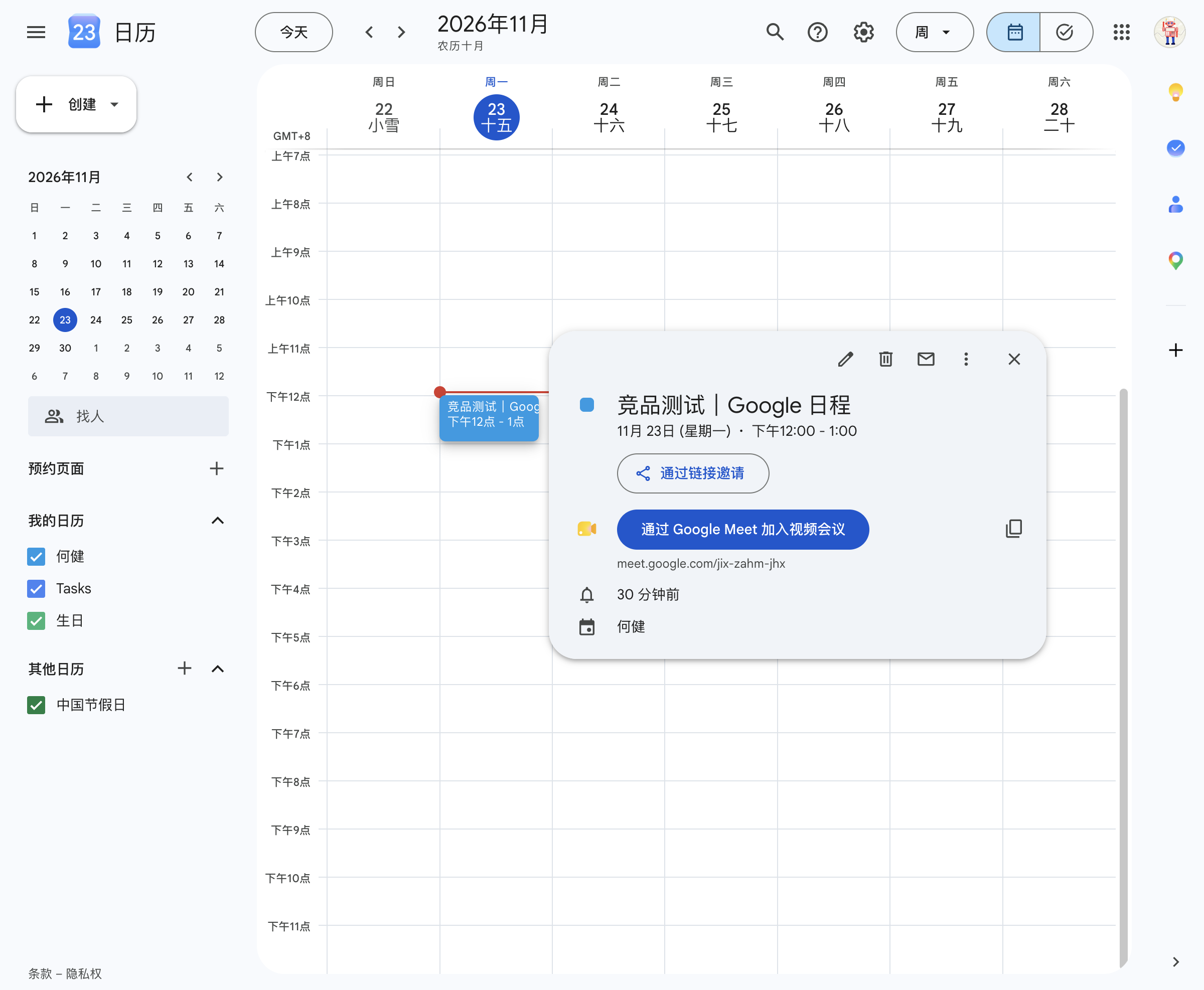
点击事件
详情卡显示标题、时间、Meet 链接、30 分钟提醒、组织者;顶部有编辑/删除/邮件/更多
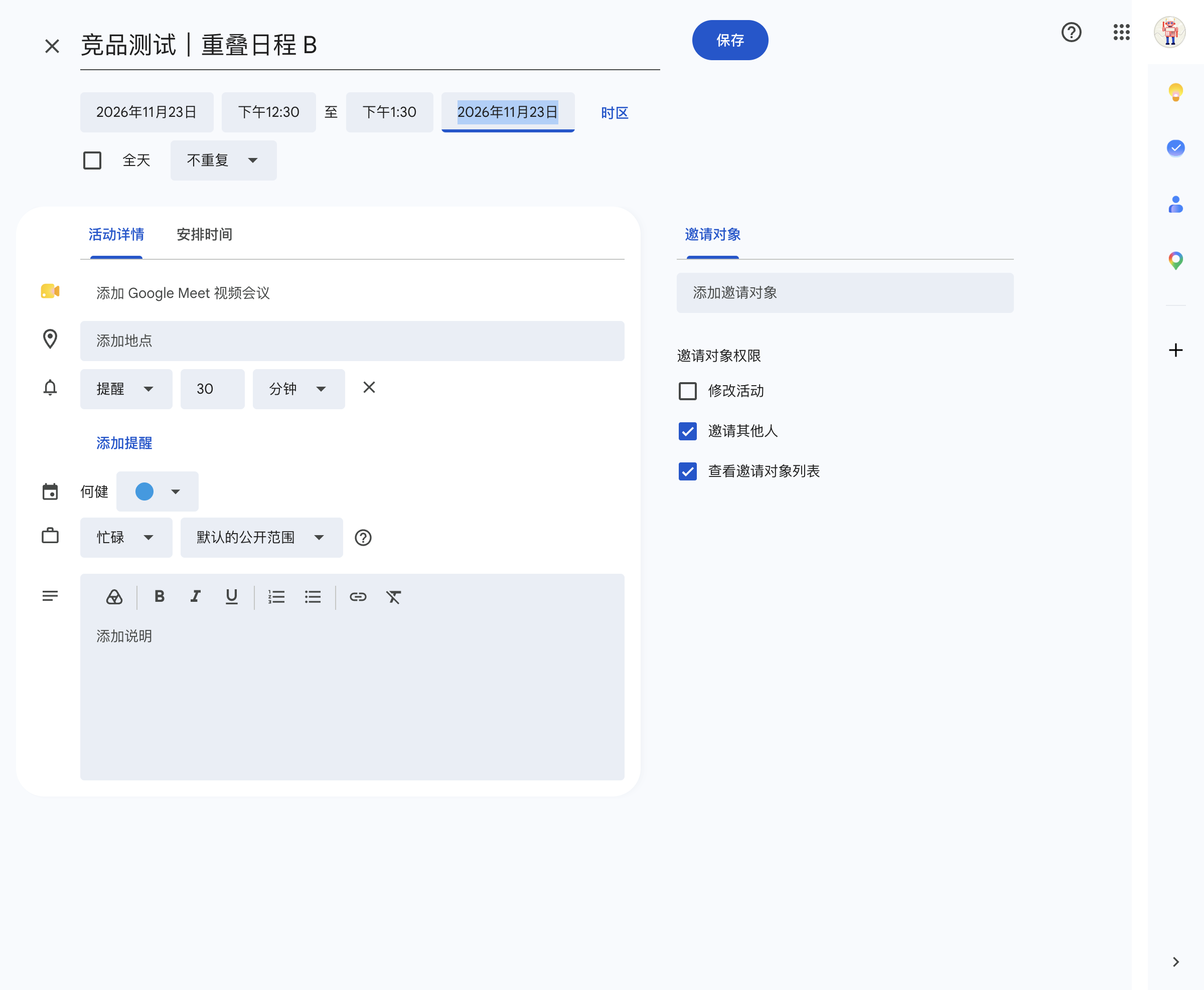
创建 12:30–13:30 第二个活动
保存前没有冲突提示;时间直接写入
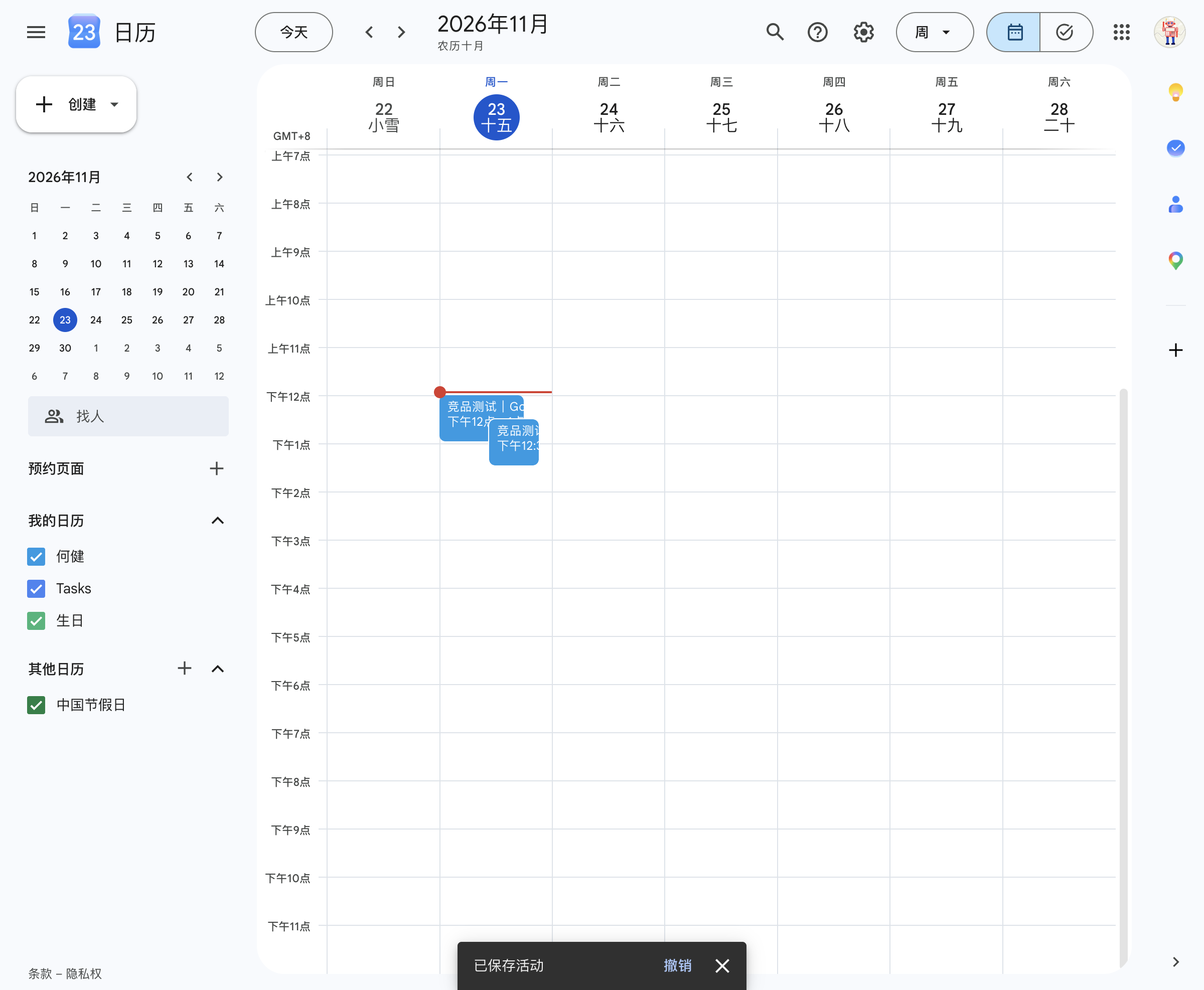
保存第二个活动
周视图并排显示两个重叠活动;无冲突警告、无影响说明
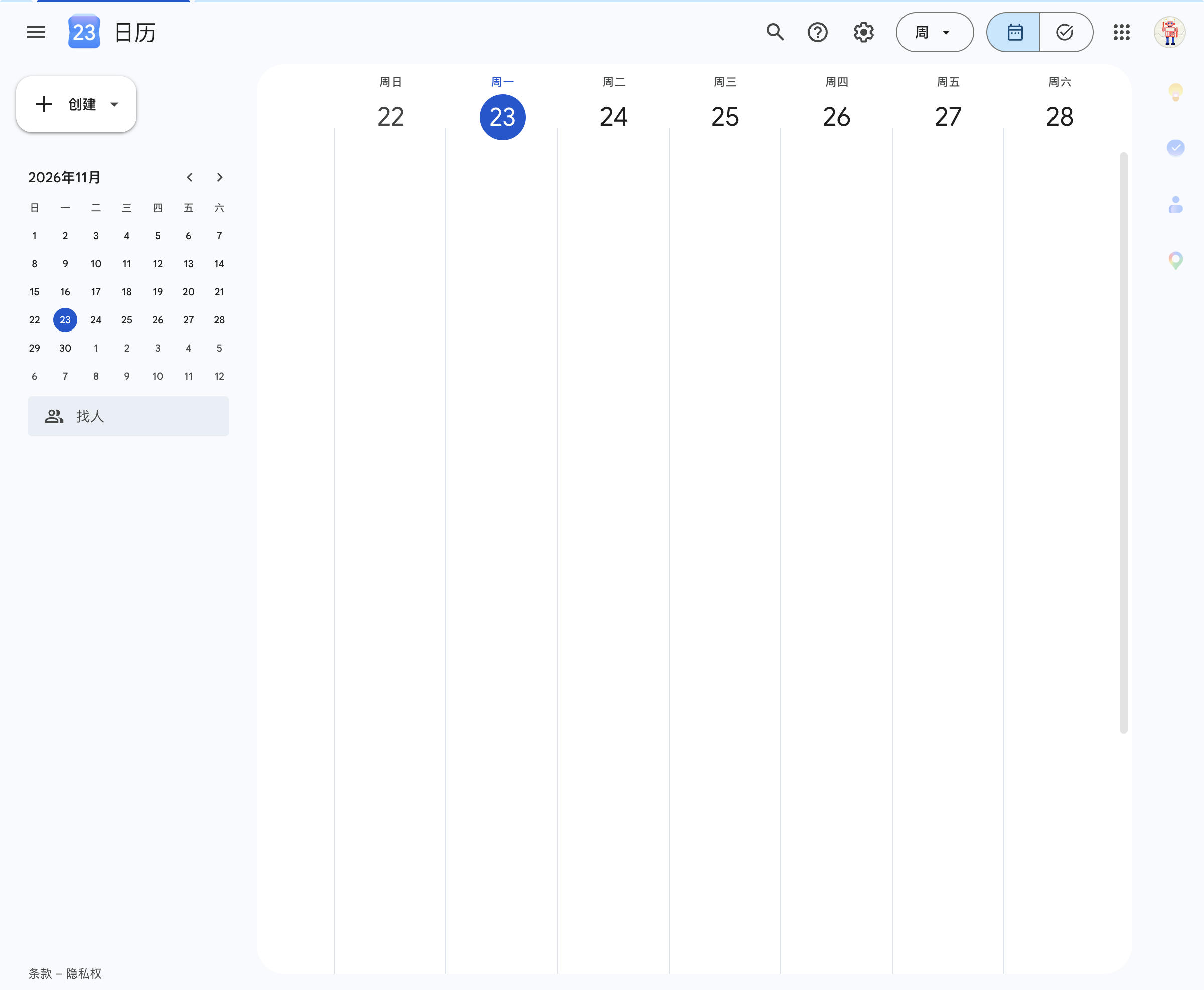
CDP 4s latency / 50kbps 后刷新
只渲染周网格骨架和日期;日历列表与事件文本为 null/undefined;无 spinner、进度或超时提示
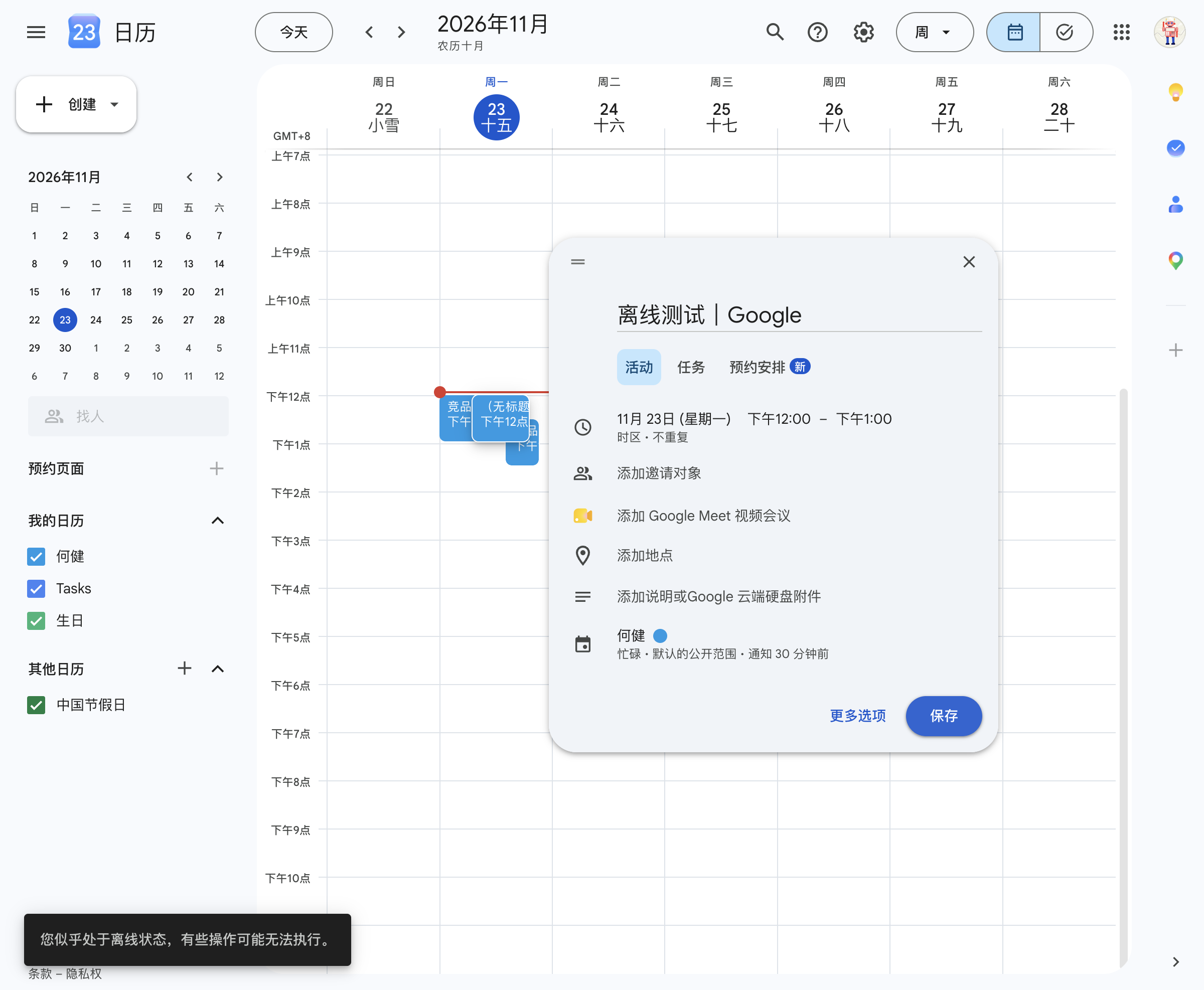
CDP offline 后创建并保存
底部提示“您似乎处于离线状态,有些操作可能无法执行”;保存后编辑器不关闭,也没有成功/失败 toast
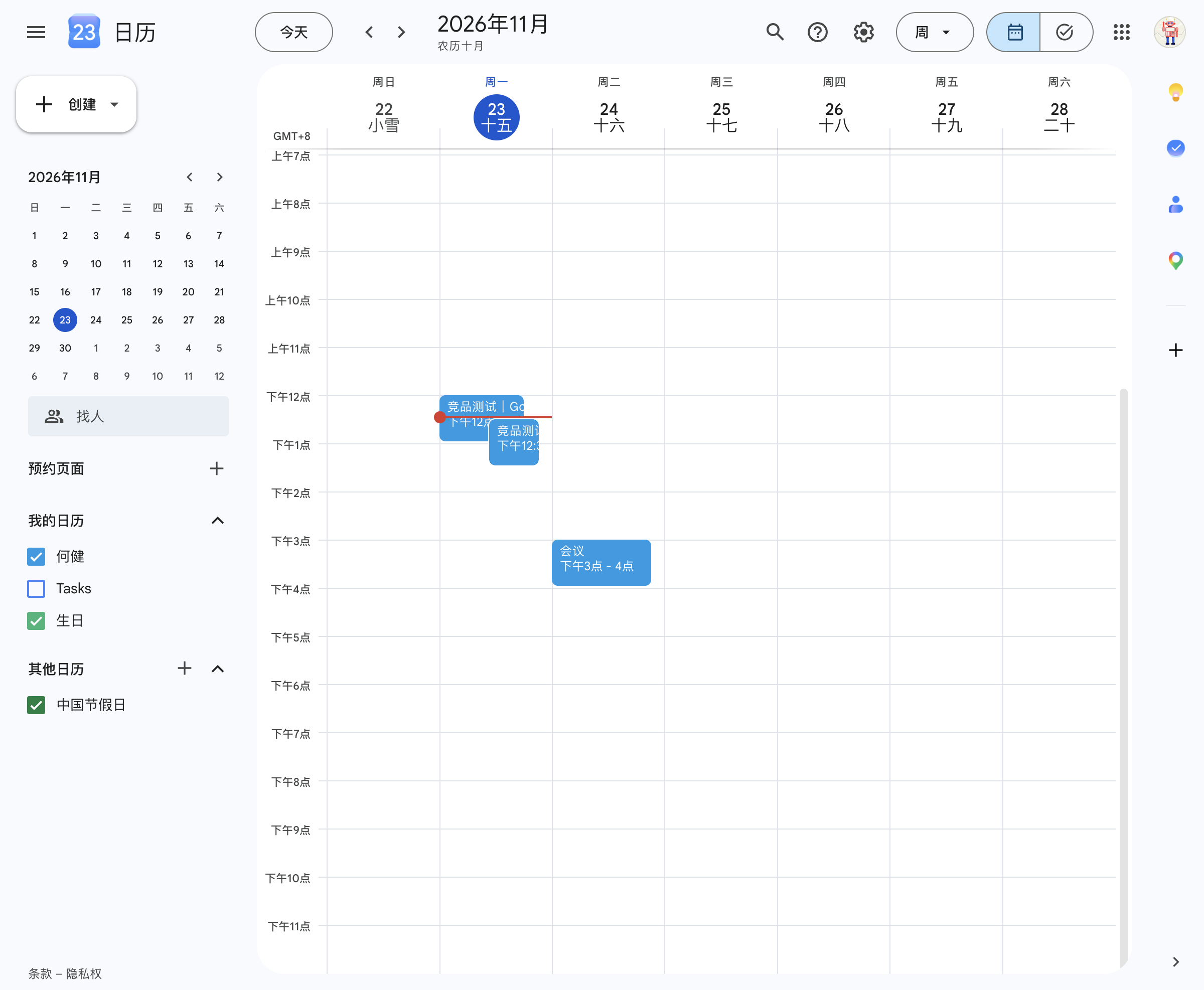
Notion AI 创建“团队同步”后检查 Google Calendar
Google Calendar 11/24 只有“会议”15:00–16:00,没有“团队同步”15:30–16:30
Notion 工作区
2 states入口:https://app.notion.com/p/4214a2ef05bc801680cbfee43dc55023
| ID | 操作 / 触发 | 入口 URL → 状态 URL | 变化 | URL 证据 | 截图 | 观察值(截断) |
|---|---|---|---|---|---|---|
| NS-L01 | 登录 app.notion.com | https://app.notion.com/p/4214a2ef05bc801680cbfee43dc55023→ https://app.notion.com/p/4214a2ef05bc801680cbfee43dc55023 | 否 | 实测 | 00-workspace.png | 已登录 Notion 工作区;Web 端只有主页/对话/会议,没有日历视图 |
| NS-L02 | 点击左侧“会议” | https://app.notion.com/p/4214a2ef05bc801680cbfee43dc55023→ https://app.notion.com/p/4214a2ef05bc801680cbfee43dc55023 | 否 | 实测 | 01-meetings-connect.png | 只有“新建会议记录 / 即将开始的活动 / 连接你的日历”;点击连接日历无弹窗 |
完整截图序列
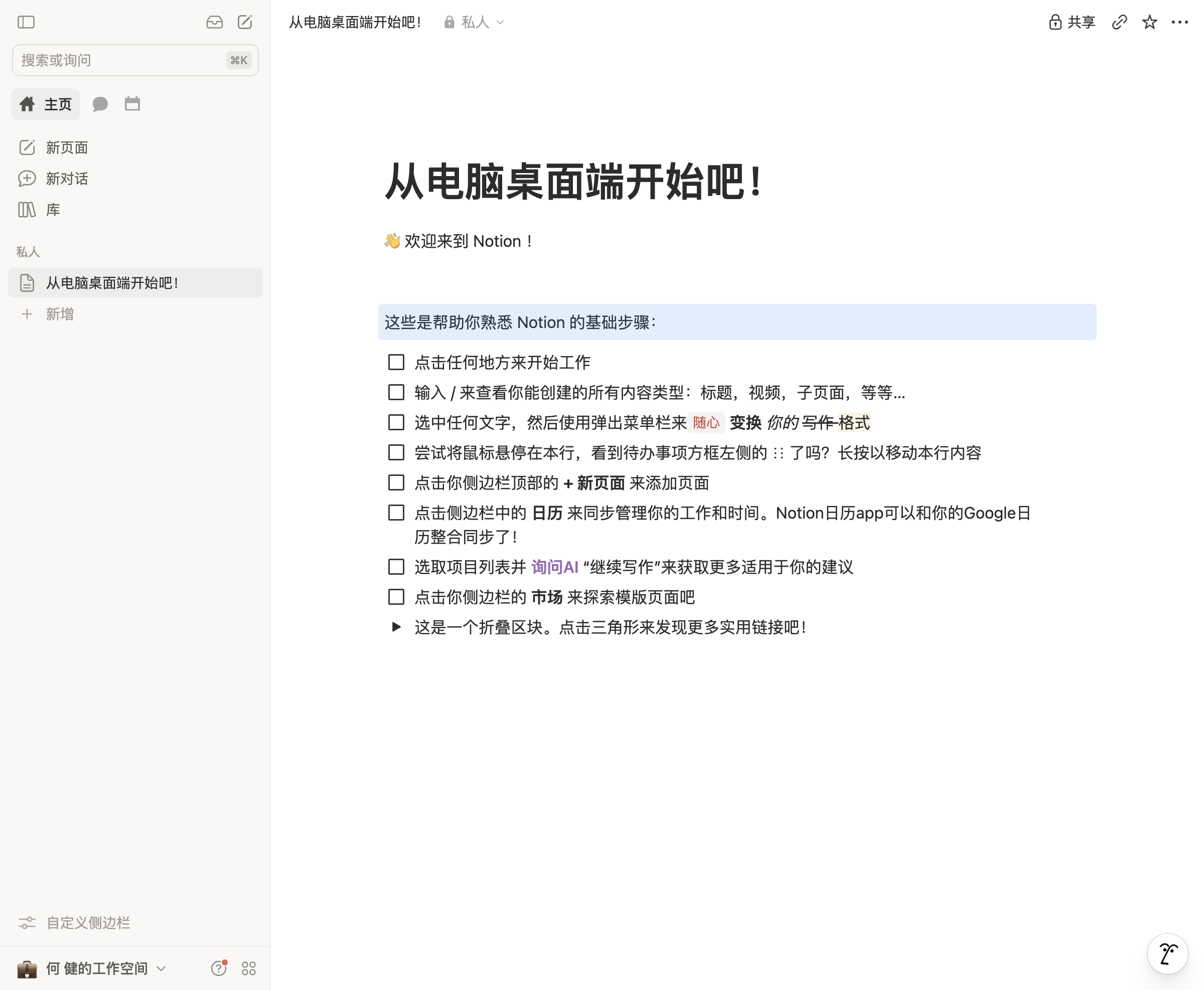
登录 app.notion.com
已登录 Notion 工作区;Web 端只有主页/对话/会议,没有日历视图
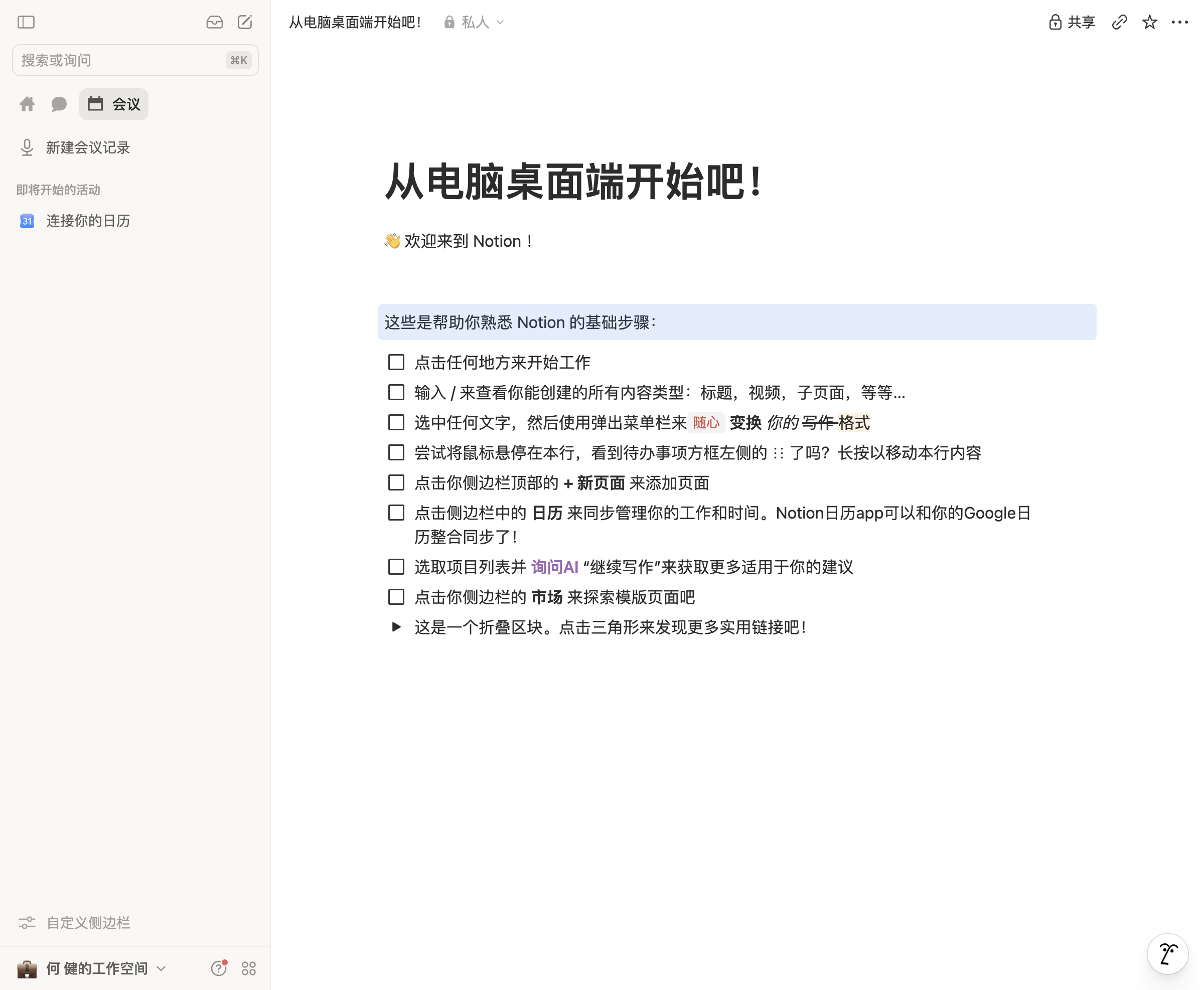
点击左侧“会议”
只有“新建会议记录 / 即将开始的活动 / 连接你的日历”;点击连接日历无弹窗
Notion Calendar
13 states入口:https://www.notion.so/login/calendar
| ID | 操作 / 触发 | 入口 URL → 状态 URL | 变化 | URL 证据 | 截图 | 观察值(截断) |
|---|---|---|---|---|---|---|
| NS-L03 | Google OAuth 授权后进入 calendar.notion.com | https://www.notion.so/login/calendar→ https://calendar.notion.com/ | 是 | 实测 | 02-calendar-onboarding.png | 同步 Google 日历;右侧 onboarding 提供关联另一个日历、关联 Notion 工作空间、创建预约链接 |
| NS-L04 | 加载 Google 日历事件 | https://calendar.notion.com/→ https://calendar.notion.com/ | 否 | 实测 | 03-week-events.png | 两条 Google 事件并排显示重叠;左侧有 Google 日历、中国节假日、Notion 数据库入口 |
| NS-L05 | 悬停事件 | https://calendar.notion.com/→ https://calendar.notion.com/ | 否 | 实测 | 04-hover-event.png | 只高亮,没有 tooltip、参与人、地点或冲突摘要 |
| NS-L06 | 点击事件 | https://calendar.notion.com/→ https://calendar.notion.com/2026/11/24 | 是 | 实测 | 05-click-event.png | 显示标题、时间、参与者、Google Meet、地点、描述、日历、提醒 30 分钟;无冲突信息 |
| NS-L07 | 按 C 新建 | https://calendar.notion.com/→ https://calendar.notion.com/event/create | 是 | 实测 | 06-natural-language-draft.png | 右侧出现“按空格键启用 AI”;教程浮层“使用自然语言创建事件”,示例“明天中午的午餐” |
| NS-L08 | 在标题输入“明天下午3点和张三开会 1小时” | https://calendar.notion.com/event/create→ https://calendar.notion.com/event/create | 否 | 实测 | 07-natural-language-input.png | 标题写入文本,但时间仍是 12:30–13:00、日期仍是 11月23日;尚未解析 |
| NS-L09 | 空格键启用 AI,提交“明天下午3点和张三开会,1小时” | https://calendar.notion.com/event/create→ https://calendar.notion.com/event/create | 否 | 推导 | 08-ai-partial-failure.png | 事件变为“会议”,11月24日 15:00–16:00,1 小时;同时弹出“部分更改无法应用” |
| NS-L10 | 关闭错误 toast 后检查 | https://calendar.notion.com/event/create→ https://calendar.notion.com/event/create | 否 | 推导 | 09-ai-event-saved.png | “会议”保留在 11月24日 15:00–16:00;参与者为空;提醒 30 分钟 |
| NS-L11 | 点击“添加 Notion 数据库” | https://calendar.notion.com/→ https://calendar.notion.com/ | 否 | 推导 | 10-add-notion-db.png | 弹出“未找到数据库”;说明此处显示 Notion 中带日期属性的数据库视图 |
| NS-L12 | 自然语言:明天下午3:30团队同步,1小时 | https://calendar.notion.com/event/create→ https://calendar.notion.com/event/create | 否 | 推导 | 11-overlap-ai.png | Notion 显示“团队同步”16:30 结束,与“会议”15:00–16:00 并排重叠;无冲突提示、无错误 toast |
| NS-L13 | CDP 4s latency / 50kbps 后刷新 | https://calendar.notion.com/→ https://calendar.notion.com/ | 否 | 实测 | 12-weak-loading.png | UI 回退英文、头像占位;只显示“会议”,团队同步缺失;无加载提示、进度或超时 |
| NS-L14 | 恢复网络后重新加载 | https://calendar.notion.com/→ https://calendar.notion.com/ | 否 | 实测 | 13-after-reload.png | “团队同步”仍不存在;只剩“会议”15:00–16:00 |
| NS-L15 | CDP offline 后点击 Today | https://calendar.notion.com/→ https://calendar.notion.com/ | 否 | 实测 | 14-offline.png | 左上角显示 Offline 徽标;缓存事件仍可见;没有待同步队列或最后同步时间 |
完整截图序列
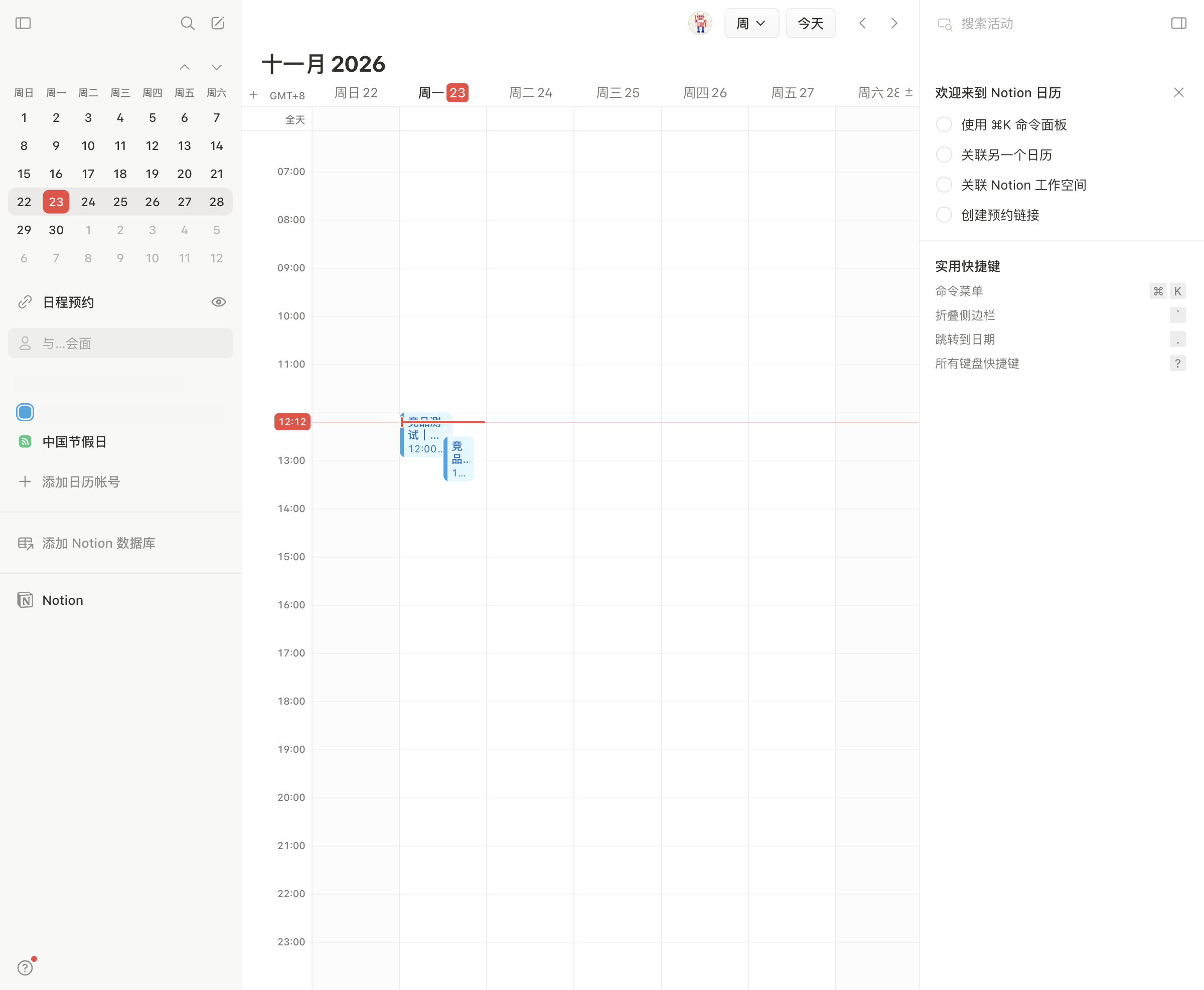
Google OAuth 授权后进入 calendar.notion.com
同步 Google 日历;右侧 onboarding 提供关联另一个日历、关联 Notion 工作空间、创建预约链接
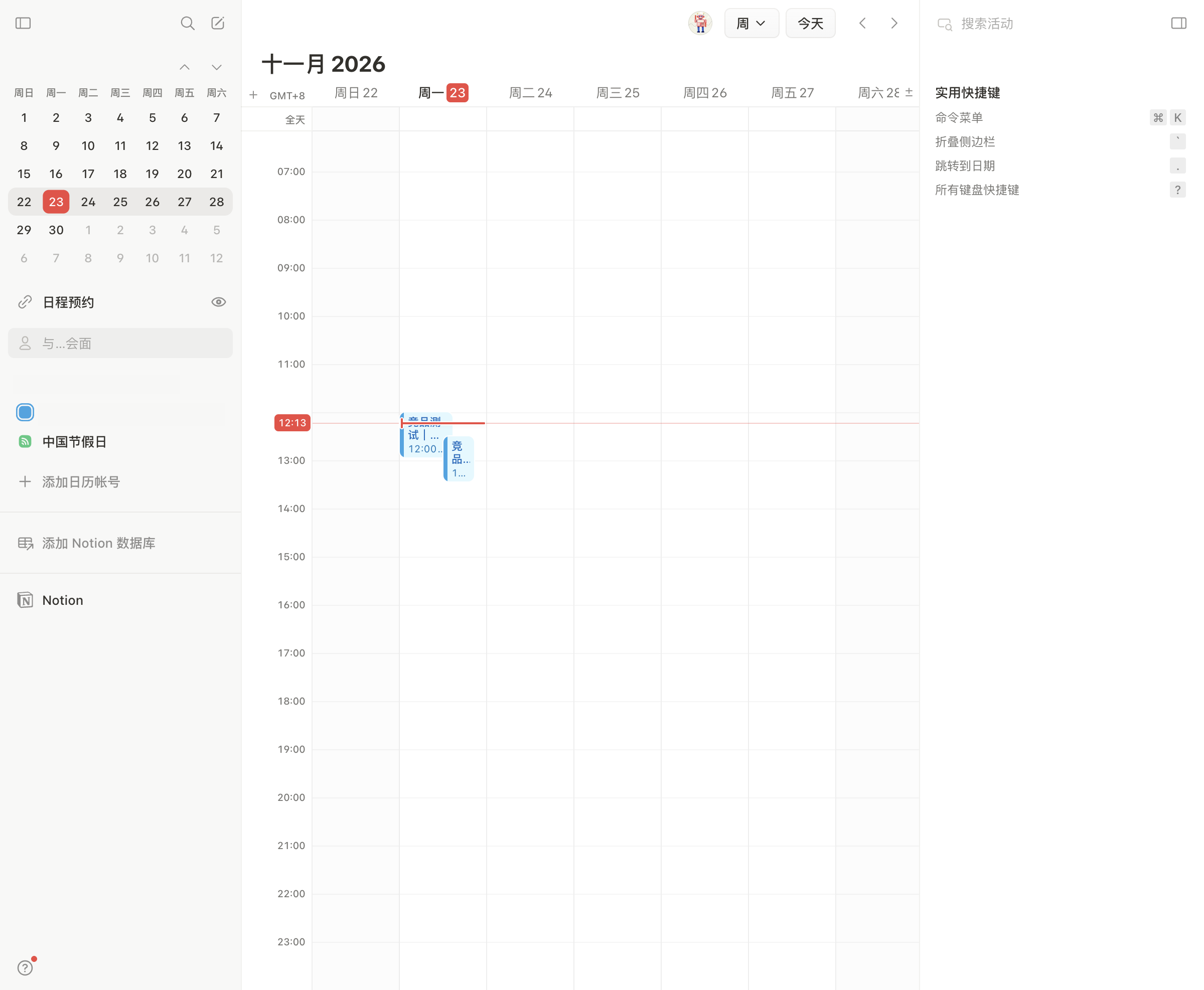
加载 Google 日历事件
两条 Google 事件并排显示重叠;左侧有 Google 日历、中国节假日、Notion 数据库入口
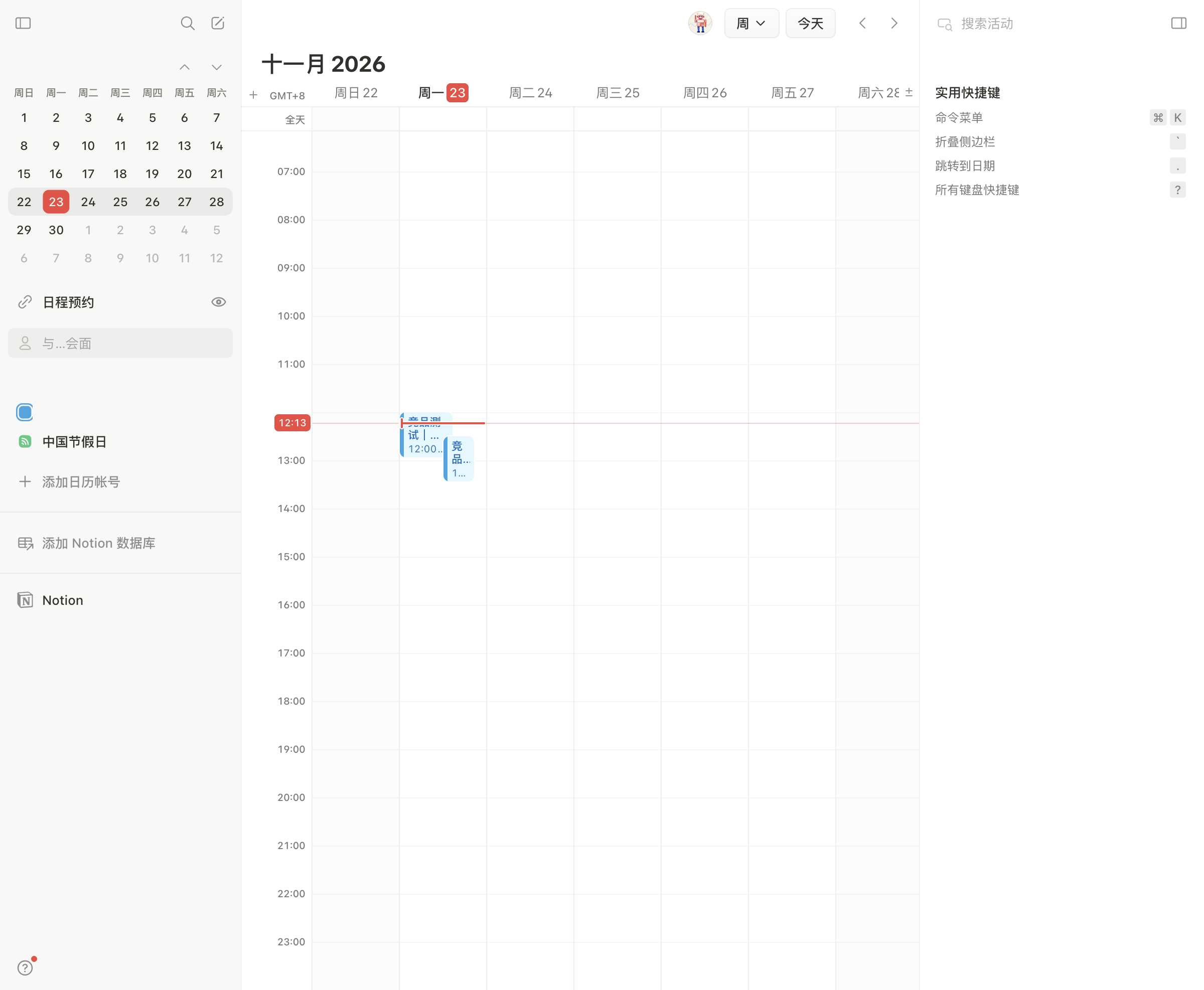
悬停事件
只高亮,没有 tooltip、参与人、地点或冲突摘要
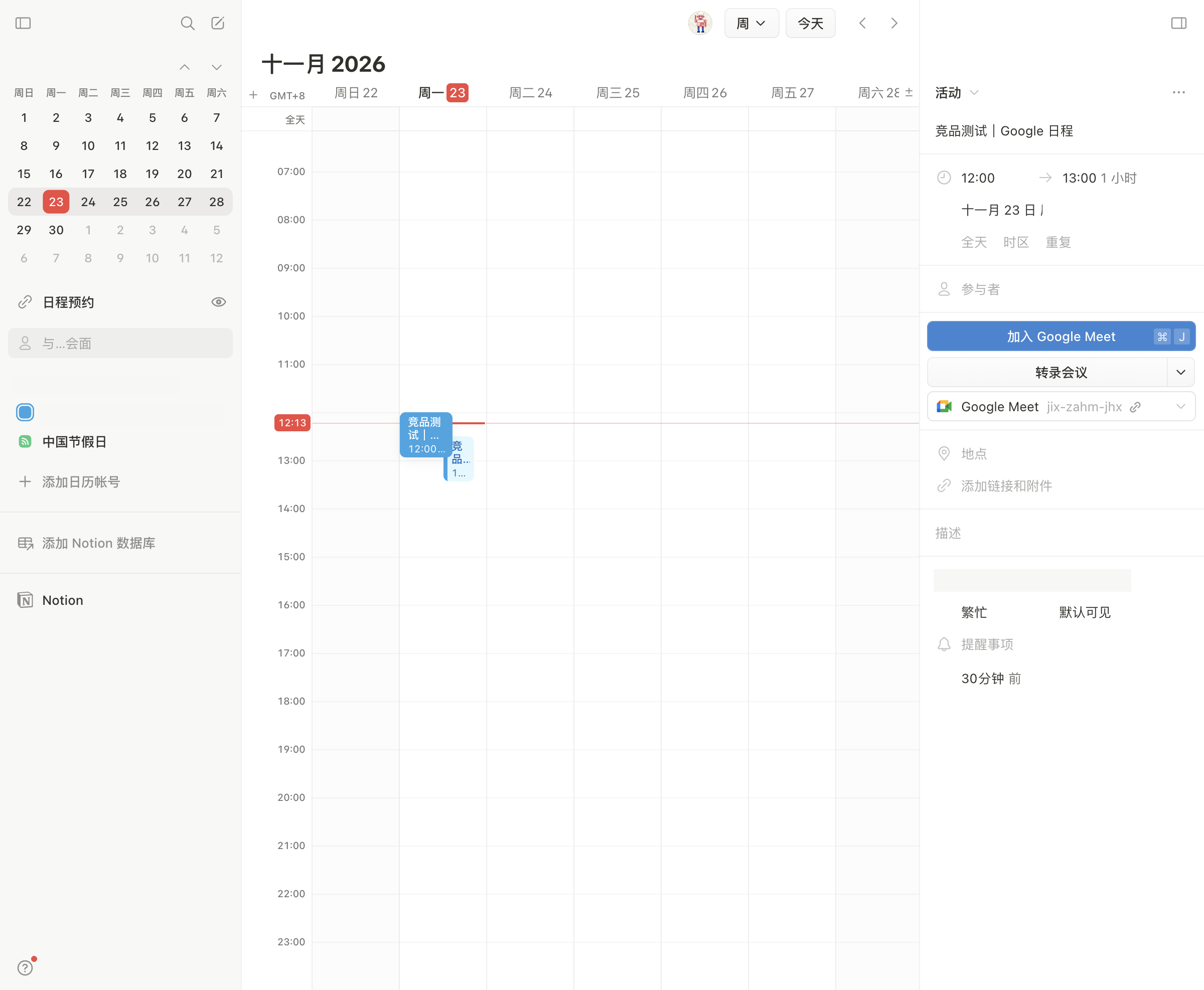
点击事件
显示标题、时间、参与者、Google Meet、地点、描述、日历、提醒 30 分钟;无冲突信息
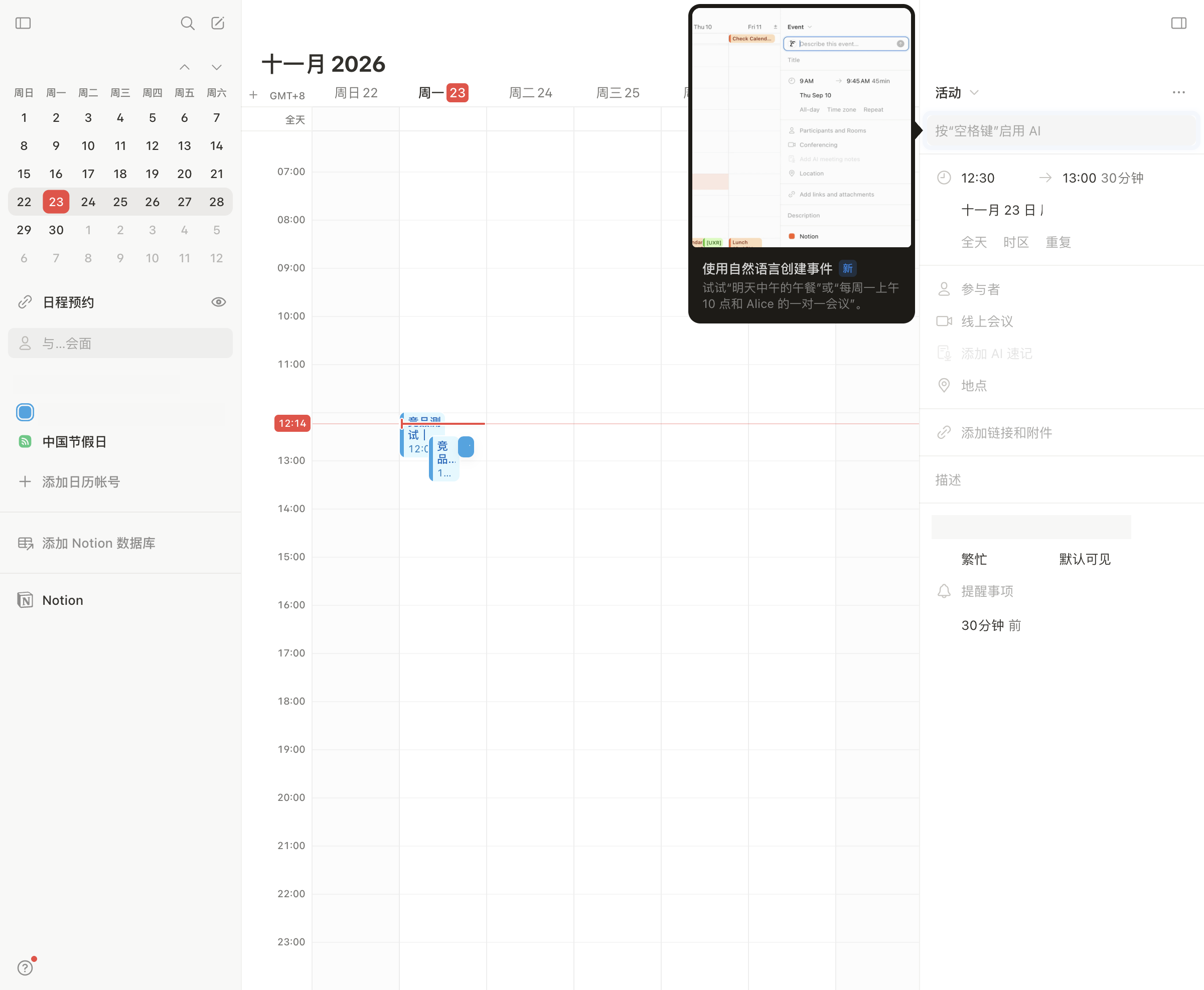
按 C 新建
右侧出现“按空格键启用 AI”;教程浮层“使用自然语言创建事件”,示例“明天中午的午餐”
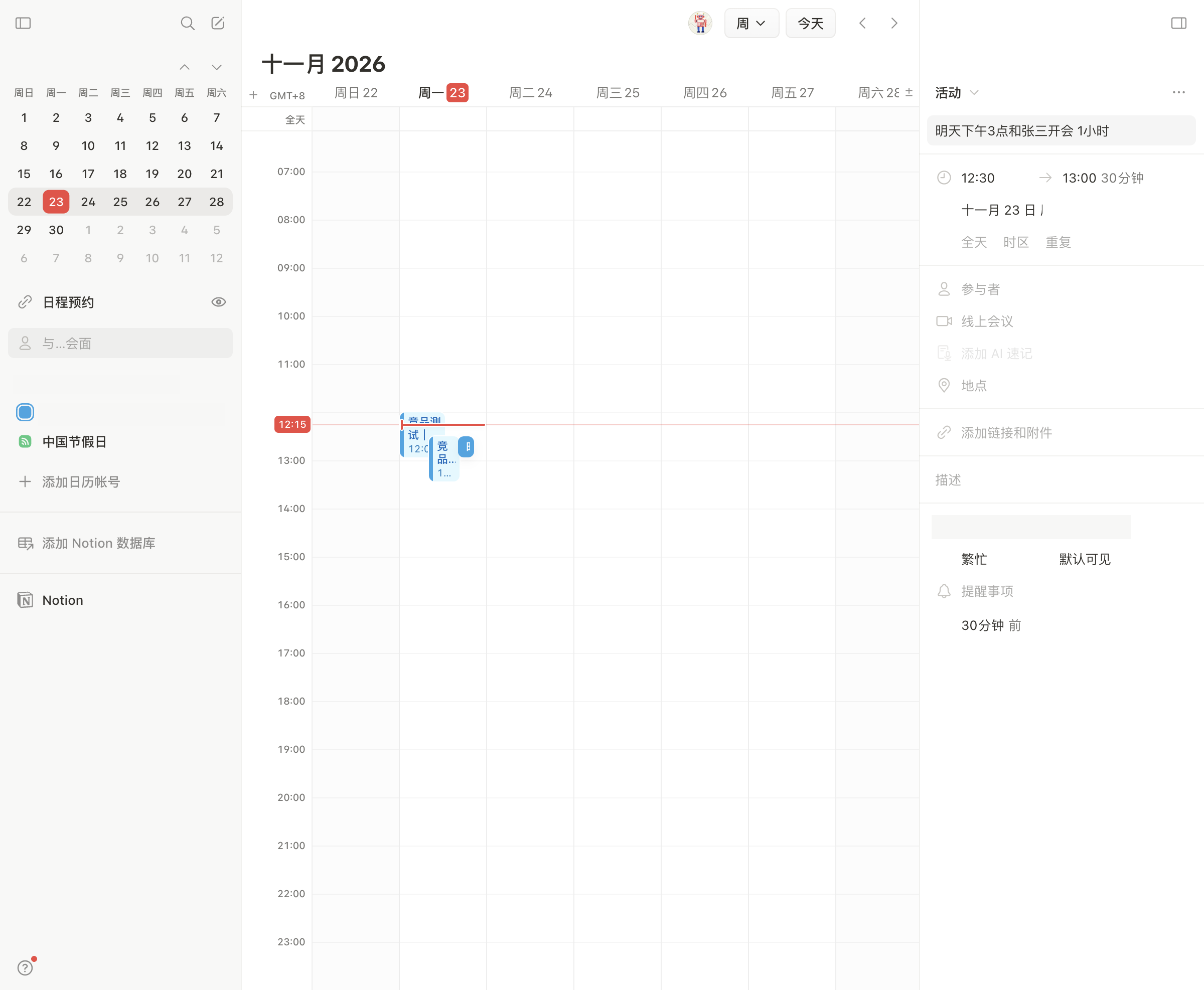
在标题输入“明天下午3点和张三开会 1小时”
标题写入文本,但时间仍是 12:30–13:00、日期仍是 11月23日;尚未解析
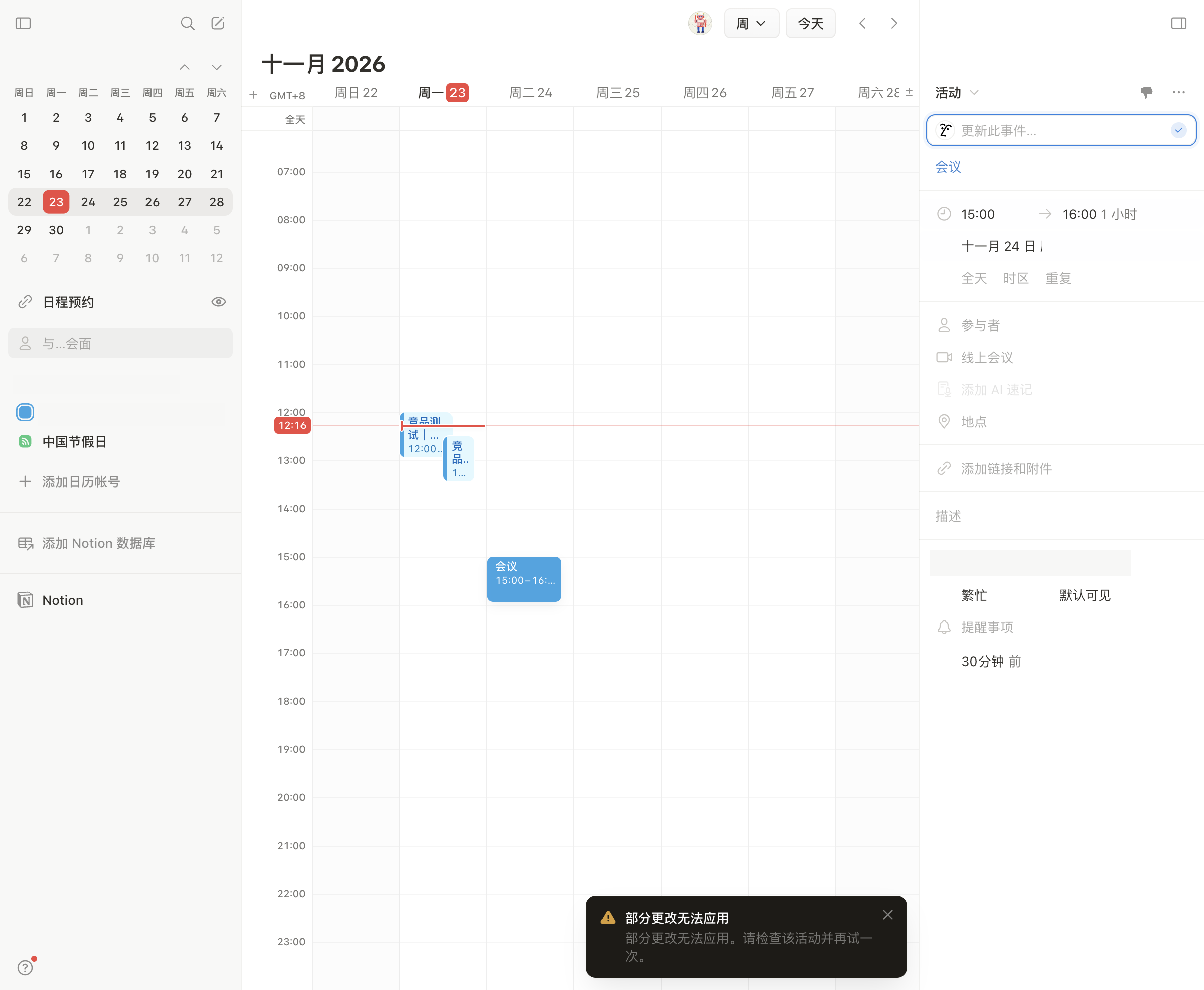
空格键启用 AI,提交“明天下午3点和张三开会,1小时”
事件变为“会议”,11月24日 15:00–16:00,1 小时;同时弹出“部分更改无法应用”
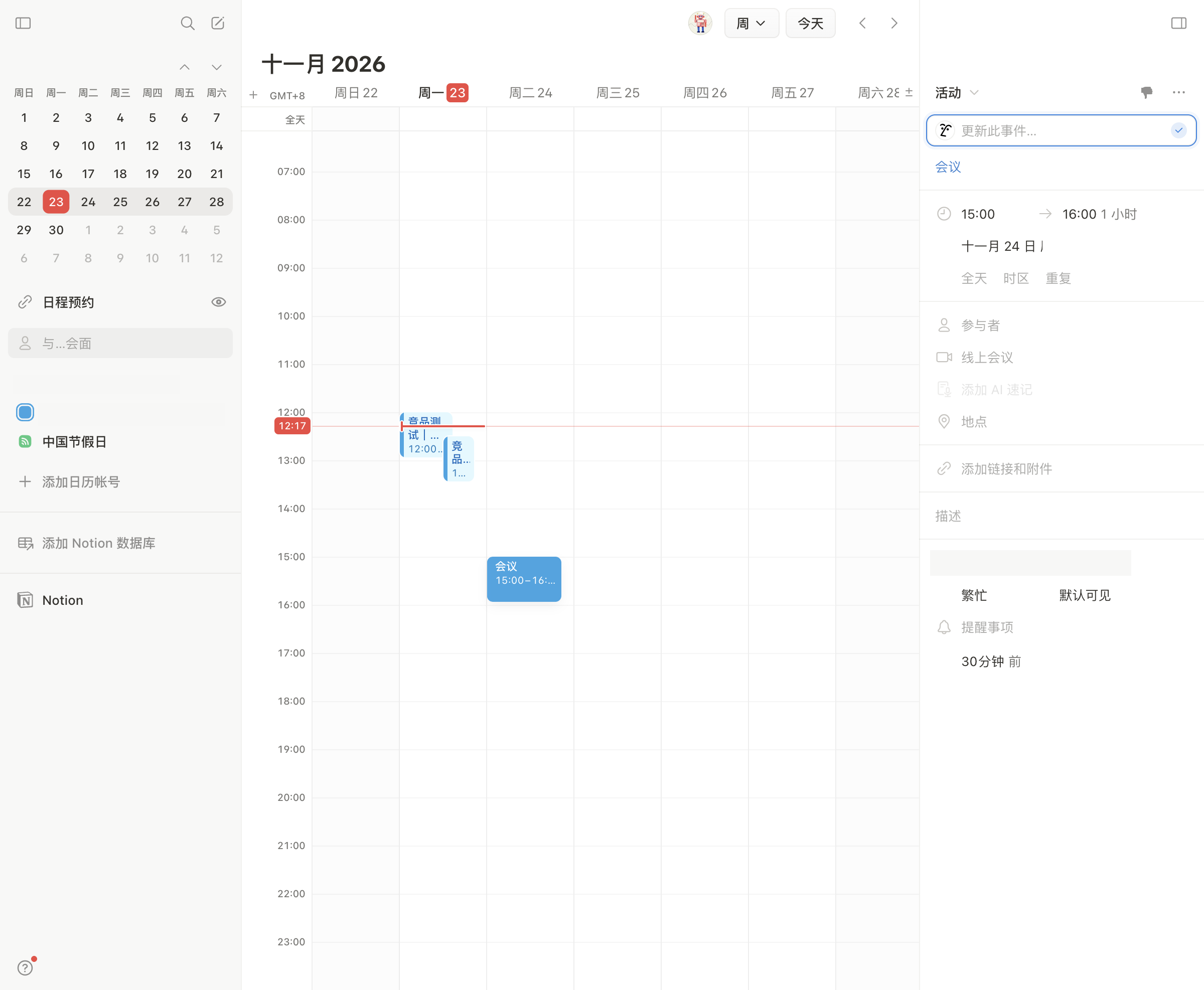
关闭错误 toast 后检查
“会议”保留在 11月24日 15:00–16:00;参与者为空;提醒 30 分钟
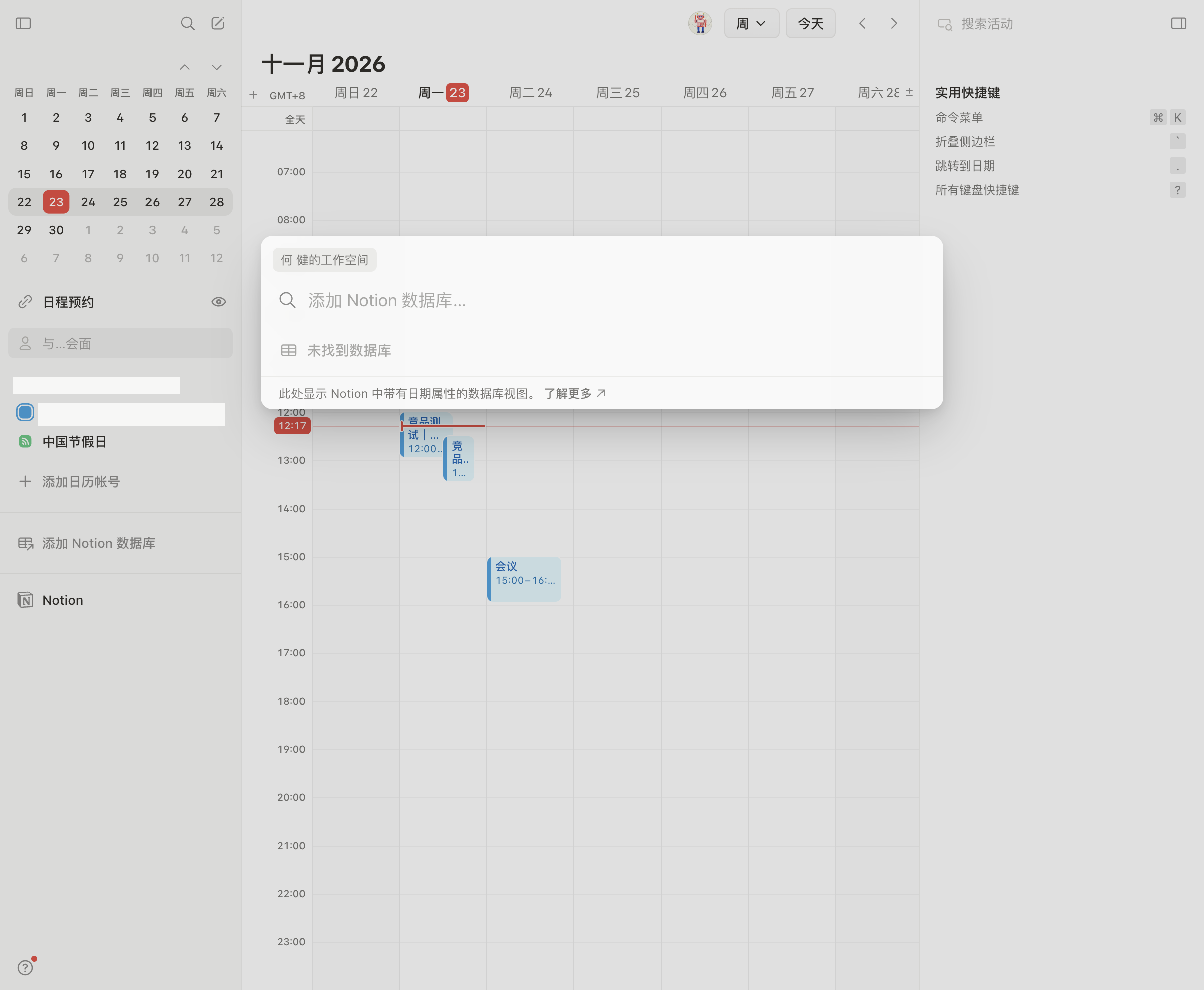
点击“添加 Notion 数据库”
弹出“未找到数据库”;说明此处显示 Notion 中带日期属性的数据库视图
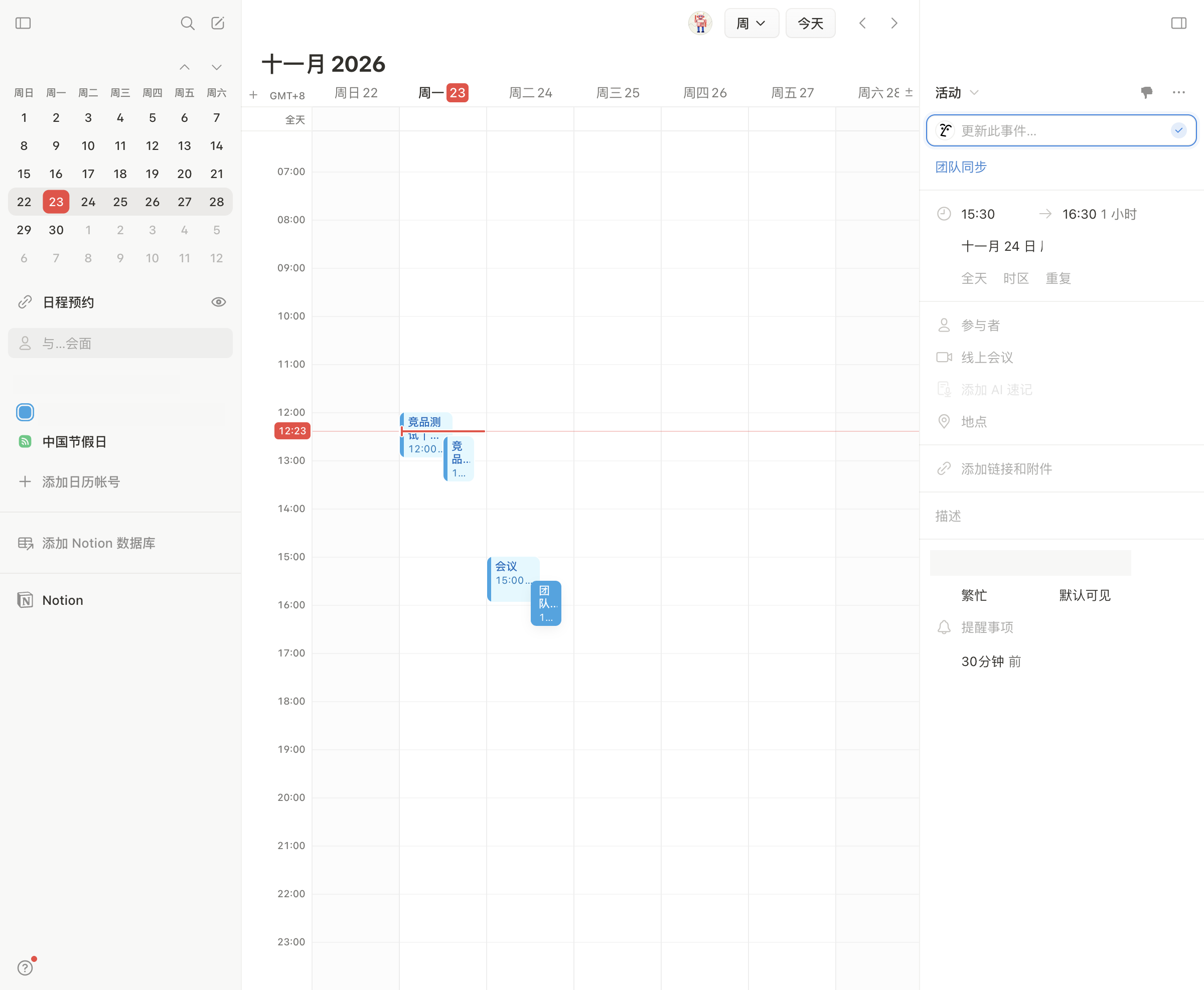
自然语言:明天下午3:30团队同步,1小时
Notion 显示“团队同步”16:30 结束,与“会议”15:00–16:00 并排重叠;无冲突提示、无错误 toast
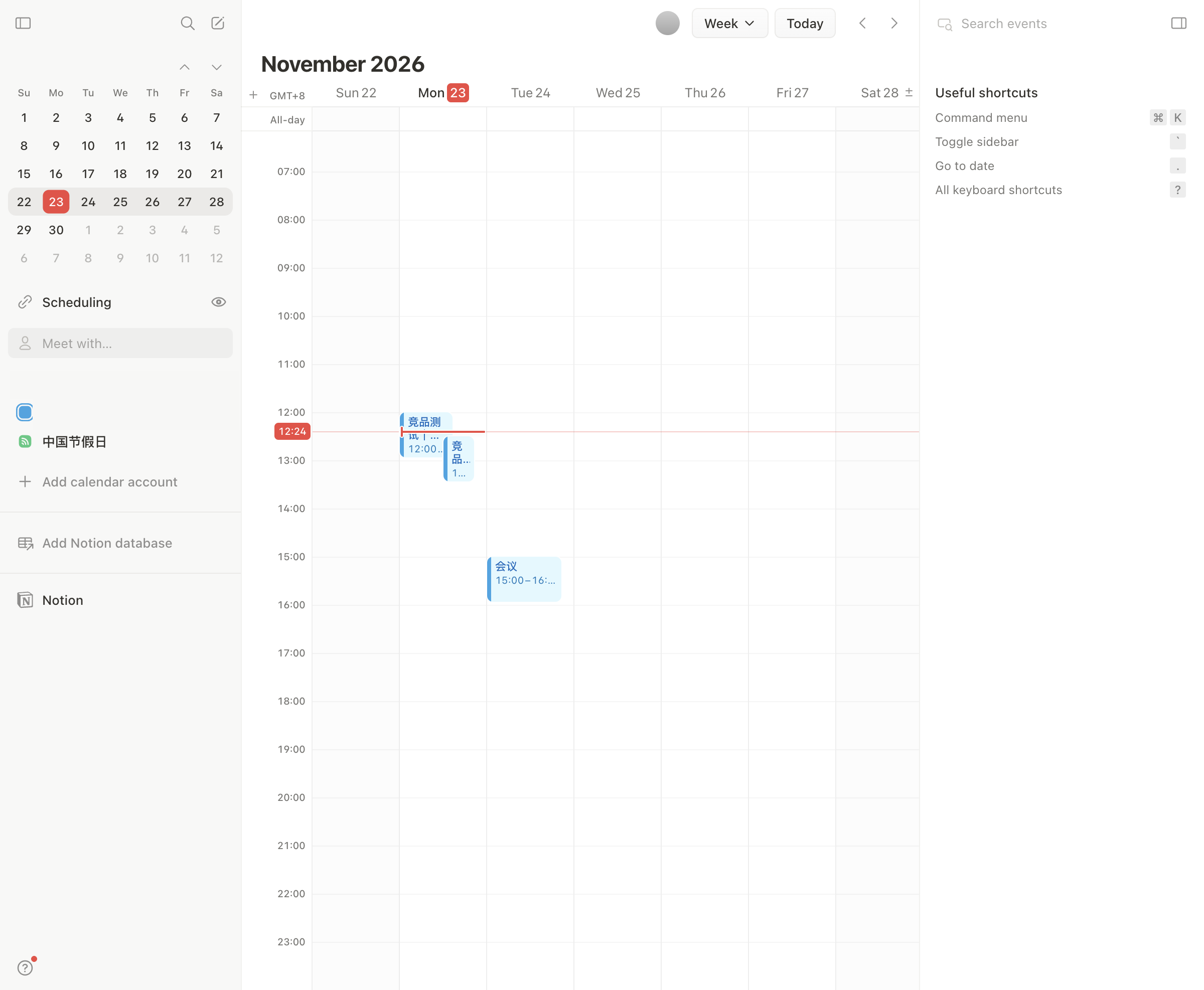
CDP 4s latency / 50kbps 后刷新
UI 回退英文、头像占位;只显示“会议”,团队同步缺失;无加载提示、进度或超时
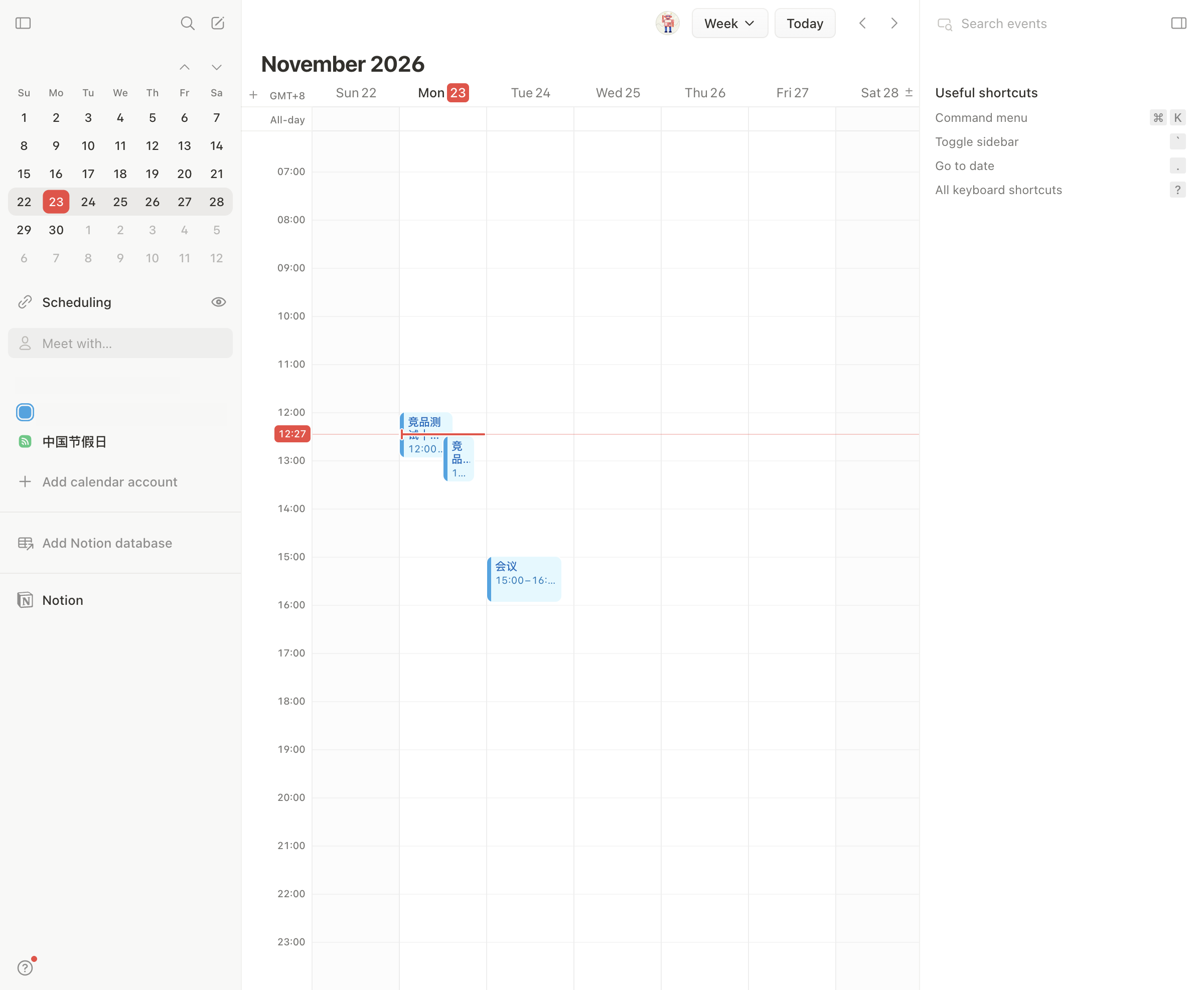
恢复网络后重新加载
“团队同步”仍不存在;只剩“会议”15:00–16:00
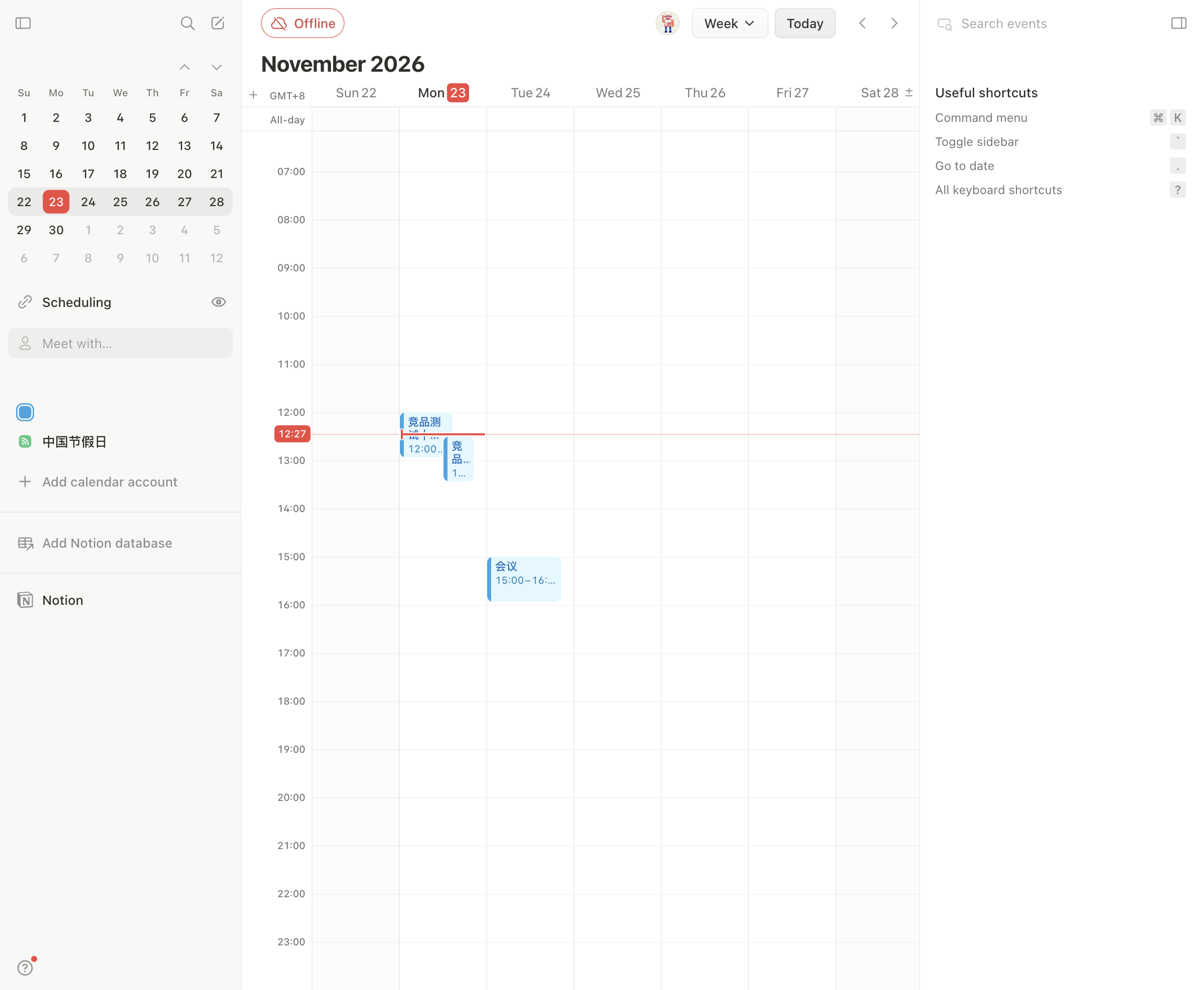
CDP offline 后点击 Today
左上角显示 Offline 徽标;缓存事件仍可见;没有待同步队列或最后同步时间
4. 数据字典
| 字段 | 含义 |
|---|---|
id | 状态主键,格式 产品前缀-L序号。 |
product | 飞书 / Google Calendar / Notion / Notion Calendar。 |
evidence | 本数据集全部为 live:登录后真实操作并截屏。 |
platform | 全部为 Web。 |
flow / step / state | 交互流程、步骤序号、状态标识。 |
trigger | 复现该状态的操作或条件。 |
expected / observed | 预期行为 / 采集时实际看到的行为。 |
file | 截图相对路径。 |
source | 截图所在页面的 URL;应与 state_url 一致。 |
entry_url / state_url | 操作前 URL / 操作后 URL。 |
url_changed | no / yes / new_tab。 |
url_evidence | observed(实测)或 derived(由已验证的同页/同流程推导)。 |
captured_at | 采集时间,Asia/Shanghai。 |
notes | 采集备注;不进入 Agent 推理。 |
session_id | 关联 environment.json;本批为 WEB-2026-11-23。 |
5. 文件
| 文件 | 内容 |
|---|---|
| dataset/live-manifest.csv | 51 条状态清单。 |
| dataset/environment.json | 环境、版本、账号类型、视口、网络参数。 |
| dataset/url-map.csv | 实测 URL 跳转表。 |
| assets/live/feishu/ | 飞书 23 张截图。 |
| assets/live/google/ | Google 13 张截图。 |
| assets/live/notion/ | Notion 15 张截图。 |
采集时间 2026-11-23 11:06–12:26 CST · 仅 Web · 51 states · 数据文件见上方路径。